LSASS.exe is a real Windows security process, and it should usually be left alone. It stands for Local Security Authority Subsystem Service, and Windows uses it to verify sign-ins, enforce security policy, create access tokens, and protect authentication data. When LSASS behaves strangely, though, it can be one of the clearest signs of credential theft.
TLDR: LSASS.exe is a core Windows process that normally runs from C:\Windows\System32\lsass.exe under the SYSTEM account. A normal workstation often has one LSASS process, low CPU use, and stable memory use, such as 50 MB to 300 MB depending on logon activity and security tools. For example, if an employee laptop suddenly shows lsass.exe running from a Downloads folder, or CPU jumps to 40% while a strange tool creates a memory dump, that deserves immediate review. Most abuse centers on stealing credentials from LSASS memory.
What LSASS.exe Does
LSASS is part of the Windows security model. It starts early during boot and stays active while the system runs. Its main job is to help decide whether a person, service, or computer is allowed to access a resource.
When a person signs in, LSASS checks the credentials. On a local account, it works with the Security Accounts Manager. In a domain, it works with Active Directory, Kerberos, NTLM, and other security components. If the sign-in succeeds, LSASS helps create an access token. That token tells Windows what the account can do.
- Authenticates users during local and domain logons.
- Enforces security policy, such as password rules and account lockouts.
- Creates access tokens used by applications and services.
- Handles Kerberos and NTLM activity where required.
- Supports audit events for logons, failures, and related actions.

Where LSASS.exe Should Be Located
The legitimate file should be located at:
C:\Windows\System32\lsass.exe
It normally runs as NT AUTHORITY\SYSTEM. Its parent process is usually wininit.exe. There should generally be only one LSASS process on a standard Windows machine.
Attackers often count on visual confusion. They may name malware Isass.exe with a capital “I” instead of a lowercase “l,” or place lsass.exe in a user profile folder. That tiny naming trick still works more often than it should. It feels annoying, but a single letter can waste 20 minutes during a rushed incident review.
Normal LSASS Behavior
Normal LSASS behavior is quiet. It runs in the background and does not need user interaction. Most users never notice it.
CPU use should usually be low after sign-in. Short spikes can happen during logon storms, domain communication, password changes, group policy activity, or heavy authentication traffic. Memory use varies. A small desktop may show modest usage, while a domain controller can show far more due to its workload.
Normal traits commonly include:
- File path:
C:\Windows\System32\lsass.exe - User: SYSTEM
- Parent process: wininit.exe
- Instances: usually one
- CPU: low most of the time
- Network activity: possible on domain systems, especially toward domain controllers
On a domain controller, LSASS naturally works harder. That does not mean abuse by itself. Context matters. A domain controller processing thousands of authentication requests will not look like a quiet office laptop.
Why Attackers Target LSASS
LSASS is a favorite target because it may hold sensitive authentication material in memory. Depending on configuration, that material may include password hashes, Kerberos tickets, NTLM data, or other credential artifacts. Attackers want this data to move through a network without needing the user’s actual password.
Common attack goals include:
- Credential dumping from LSASS memory.
- Pass the hash attacks using NTLM hashes.
- Pass the ticket attacks using Kerberos tickets.
- Privilege escalation after stealing admin credentials.
- Lateral movement from one machine to another.
Tools such as Mimikatz, ProcDump, Task Manager dump features, and abused Windows DLL functions have been used to target LSASS. Some are legitimate admin tools in the right hands. That is the messy part. The same tool used for troubleshooting can also be used for theft.

Warning Signs of LSASS Abuse
LSASS abuse often leaves clues. Some are obvious. Others are easy to miss when alerts are noisy.
- LSASS running outside System32. This is a major red flag.
- More than one lsass.exe process on a normal workstation.
- Unexpected parent process instead of wininit.exe.
- High CPU or memory use with no clear logon activity.
- Memory dump files created from LSASS.
- Suspicious command lines using tools like procdump, rundll32, or PowerShell.
- Security tools reporting handle access to LSASS by unknown processes.
- Recent admin logons followed by strange remote access attempts.
One especially suspicious pattern is a command using rundll32.exe and comsvcs.dll to create a dump of LSASS. Another is an unknown executable requesting high-permission access to the LSASS process. That is rarely normal on an office laptop.
How Administrators Can Check LSASS Safely
Administrators should avoid killing LSASS. If LSASS is terminated, Windows usually shuts down or restarts. That is by design. Windows treats LSASS failure as a serious security problem.
Safer checks include:
- Open Task Manager or Process Explorer.
- Confirm the process path is
C:\Windows\System32\lsass.exe. - Check that the signer is Microsoft Windows.
- Review the parent process.
- Look for recent dump files in temp folders, user profiles, or suspicious directories.
- Check security logs for unusual logons, especially Event ID 4624, 4625, 4672, and 4688 if process creation logging is enabled.
Honestly, it feels like Windows spreads the evidence across too many places. Event logs, EDR alerts, PowerShell history, temp files, and process trees may all matter. Still, those fragments often tell the story.
Ways to Reduce LSASS Credential Theft Risk
Several Windows protections can limit what attackers get from LSASS. No single setting fixes every problem, but layered defenses help.
- Enable Windows Defender Credential Guard on supported systems.
- Enable LSASS protection with RunAsPPL where compatible.
- Use attack surface reduction rules, including rules that block credential stealing from LSASS.
- Disable WDigest credential caching unless a rare legacy need exists.
- Limit local admin rights across workstations.
- Separate admin accounts from daily-use accounts.
- Monitor for LSASS dump attempts through EDR or Windows security logging.
- Patch systems and remove unsupported Windows versions.
When LSASS Activity Should Trigger Incident Response
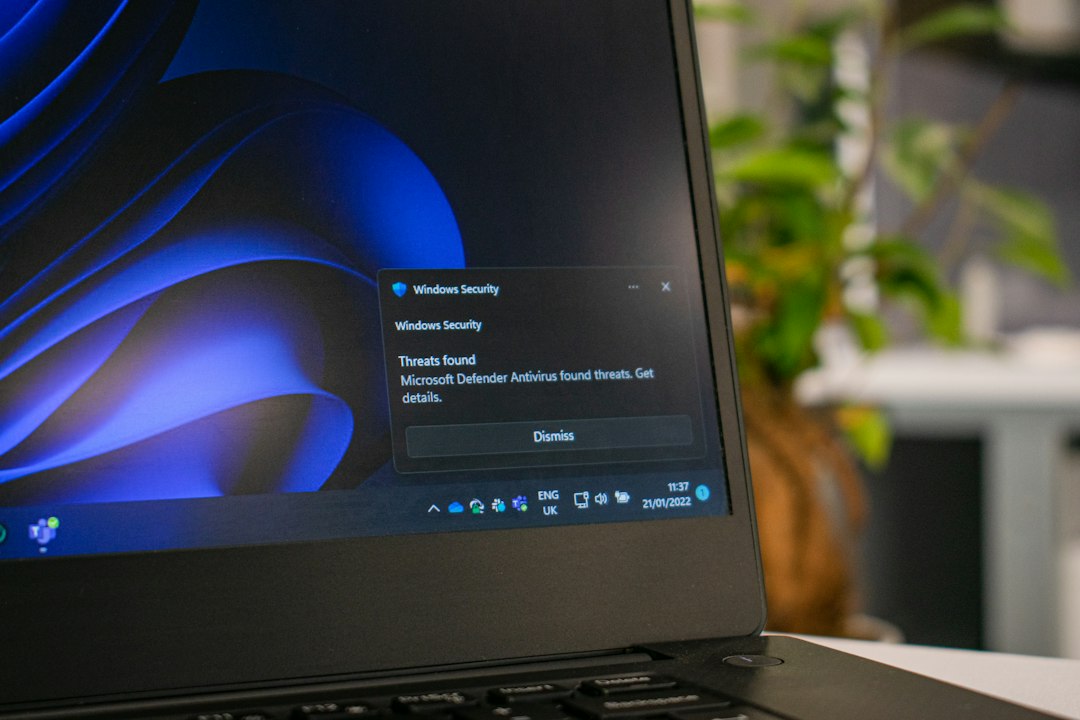
An alert involving LSASS should not be ignored. It may be a false positive, but the stakes are high. If credentials were stolen, the attacker may already have valid access.
A security team should preserve evidence first. Then it should isolate the host if abuse seems likely. Password resets may be needed, especially for privileged accounts that recently signed into the affected machine. Kerberos tickets may need to expire, and active sessions may need to be reviewed.
The key question is simple: which accounts had credential material exposed on that system? That answer drives the next steps.
FAQ
Is LSASS.exe a virus?
No. The real LSASS.exe is a legitimate Windows process. A file with the same or similar name can be malware if it runs from the wrong folder or lacks a valid Microsoft signature.
Can LSASS.exe be disabled?
No. LSASS is required for Windows security. Disabling or killing it can cause Windows to shut down or restart.
Why is LSASS using high CPU?
High CPU can occur during heavy authentication activity, domain controller load, security software scans, or system issues. On a workstation, sustained high CPU with no clear reason should be investigated.
How many LSASS processes should be running?
Most Windows systems should show one LSASS process. Multiple instances can be suspicious, especially if one runs outside C:\Windows\System32.
What should a user do after an LSASS security alert?
The user should report it to IT or security staff and avoid rebooting unless instructed. Administrators may need memory, logs, and process details before the system changes state.
Does antivirus protect LSASS?
Antivirus can help, but stronger protection often comes from EDR monitoring, Credential Guard, LSASS protection, least privilege, and blocking tools that try to dump LSASS memory.