
Automated postcard sending has become a practical way for businesses to combine the precision of digital marketing with the credibility of physical mail. When tied to specific customer behaviors, postcards can support retention, reactivation, loyalty building, and high-value sales conversations without requiring manual list exports or one-off campaign work.
TLDR: To automate postcard sending, connect customer behavior data from your CRM, ecommerce platform, or analytics tools to a direct mail automation provider. Define clear behavioral triggers, such as abandoned carts, repeat purchases, subscription cancellations, or inactivity, then create postcard templates and rules for when each card should be sent. Track results with promo codes, QR codes, unique URLs, and CRM attribution so you can measure revenue and improve performance over time.
Why Behavior-Based Postcards Work
Most customers are exposed to a large volume of emails, ads, notifications, and promotional messages every day. A postcard, by contrast, has a physical presence. It arrives at a home or business address, can be held, placed on a desk, and revisited later. This makes it especially useful for messages that require trust, urgency, or a stronger sense of legitimacy.
The value increases when postcards are not sent randomly, but in response to meaningful behavior. A customer who abandoned a high-value cart, viewed a mortgage consultation page, missed a subscription renewal, or has not purchased in six months is showing a specific signal. Automating direct mail around these signals helps businesses act at the right moment with a message that feels relevant rather than generic.
The goal is not to send more mail. The goal is to send the right mail, to the right person, at the right time.

Start With the Customer Behaviors That Matter
Before selecting software or designing postcards, identify the behaviors that justify a physical mail response. Not every action needs a postcard. Direct mail has production and postage costs, so it should be reserved for moments where the expected value is credible.
Common behavior-based postcard triggers include:
- Abandoned carts: A customer adds items to a cart but does not complete the purchase within a defined period.
- High-intent browsing: A visitor repeatedly views pricing, demo, consultation, or product pages.
- First purchase: A new customer receives a welcome message, thank-you note, or incentive for a second purchase.
- Repeat purchases: Loyal customers receive recognition, exclusive offers, or referral invitations.
- Customer inactivity: A customer has not purchased, logged in, or engaged for a specified number of days.
- Subscription cancellation: A customer cancels or fails to renew a plan, membership, or service.
- Milestones: Birthdays, anniversaries, warranty dates, contract renewals, or service reminders trigger a personalized postcard.
- Geographic behavior: Customers in a specific area receive local promotions, event invitations, or service updates.
Choose triggers based on business value. For example, an abandoned cart postcard may be worthwhile for a furniture retailer with large average order values, but less appropriate for a low-margin product unless carefully targeted.
Build a Reliable Data Foundation
Successful automation depends on accurate customer data. At a minimum, you need a name, mailing address, and a behavioral event that can be passed from your system to your direct mail workflow. Additional fields, such as purchase history, customer segment, product category, or loyalty status, can make the postcard more relevant.
Data typically comes from sources such as:
- Customer relationship management systems
- Ecommerce platforms
- Marketing automation tools
- Customer data platforms
- Website analytics and event tracking tools
- Subscription billing platforms
- Point-of-sale systems
Address quality is especially important. Use address validation and standardization whenever possible. This reduces returned mail, improves delivery rates, and keeps costs under control. In regulated industries, ensure that your data usage follows applicable privacy, consent, and retention policies.
Select the Right Automation Method
There are several ways to automate postcard sending. The best option depends on your technical resources, campaign complexity, and volume.
- Native integrations: Some mailing platforms connect directly with CRMs, ecommerce systems, and marketing tools. This is often the fastest way to launch.
- Workflow automation platforms: Tools that connect apps can trigger postcard sends when specific events occur, such as a new abandoned cart or updated customer status.
- API integration: For more control, developers can use an API to send customer data, select templates, and trigger mail automatically.
- Batch automation: Customer lists can be generated on a schedule, such as daily or weekly, and sent to a print and mail provider automatically.
Businesses with simple needs may begin with native integrations or workflow tools. Larger organizations usually benefit from API-based systems because they allow more precise rules, testing, reporting, and exception handling.
Create Clear Trigger Rules
A behavioral trigger should be specific enough to prevent waste. For example, instead of sending a postcard to every person who abandons a cart, you may decide to send only when the cart value is above a certain amount, the customer has a valid mailing address, and no purchase is completed within 48 hours.
A strong trigger rule may include the following conditions:
- Behavior: What action did the customer take or fail to take?
- Timing: How long should the system wait before sending?
- Eligibility: Is the customer in the right market, segment, or value range?
- Suppression: Should the customer be excluded because they recently received mail?
- Personalization: Which offer, message, or template should be used?
Frequency controls are essential. A customer should not receive several postcards in a short period simply because they triggered multiple events. Establish rules such as “no more than one postcard every 30 days” or “prioritize retention mail over promotional mail.”

Design Postcards for Action and Trust
A behavior-based postcard should be clear, relevant, and easy to act on. Avoid overcrowding the design with excessive claims or competing messages. A serious, trustworthy postcard usually includes a strong headline, a concise explanation, one primary call to action, and recognizable branding.
Effective postcards often contain:
- A specific reason for contact: For example, “You left something in your cart” or “Your annual service date is approaching.”
- Personalization: Use the customer’s name, product category, local branch, or relevant date where appropriate.
- A clear offer: This may be a discount, consultation, renewal reminder, loyalty reward, or helpful next step.
- Simple response options: Include a phone number, QR code, short URL, or promo code.
- Credibility signals: Add business credentials, guarantee language, customer service availability, or compliance notes where relevant.
Personalization should be meaningful, not intrusive. Referencing a broad category or recent interaction is often safer than listing detailed browsing activity. The tone should respect the customer’s privacy and avoid creating the impression of surveillance.
Set Up Personalization and Dynamic Content
Automation becomes more valuable when postcards adapt to the customer. Dynamic fields can insert names, locations, expiration dates, product categories, or unique codes. More advanced workflows can select different postcard versions based on customer segment.
For example, a retailer may use one design for first-time buyers, another for VIP customers, and another for inactive customers. A financial services firm may send different messages based on whether the customer requested information, started an application, or has an upcoming renewal.
Use personalization carefully. Every dynamic field should be tested before launch. Incorrect names, expired offers, or irrelevant product references can quickly reduce confidence in the message.
Connect Postcards to Measurable Outcomes
Every automated postcard campaign should include a reliable way to track performance. Because the channel is physical, attribution needs to be planned before sending.
Useful tracking methods include:
- Unique promo codes: Assign codes by campaign, customer segment, or individual recipient.
- QR codes: Send customers to a specific landing page with campaign tracking.
- Personalized URLs: Use unique web addresses connected to the recipient or segment.
- Call tracking numbers: Route postcard responses through a dedicated number.
- CRM campaign fields: Mark recipients so sales and support teams can identify responses.
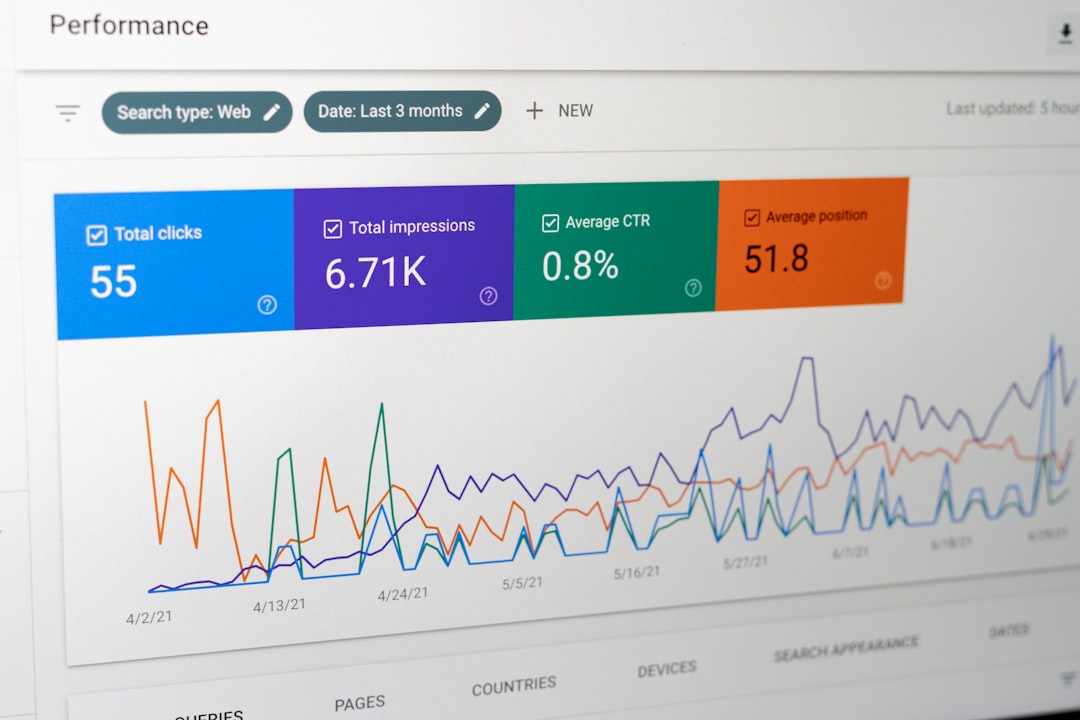
Measure more than response rate. Track conversion rate, revenue, average order value, reactivation rate, cost per conversion, and lifetime value. A postcard may have a higher cost than an email, but it can still be highly profitable if it reaches the right customers at decisive moments.
Test Before Scaling
Begin with a controlled pilot rather than a large rollout. Select one or two high-value behaviors, define a clear audience, and compare performance against a control group that does not receive postcards. This helps you understand the true lift created by the campaign.
Testing options include:
- Different offers, such as a discount versus free consultation
- Different send delays, such as 24 hours versus 72 hours
- Different postcard sizes or formats
- Different headlines and calls to action
- Different customer segments, such as new customers versus inactive customers
Document your assumptions before the test begins. After the campaign, review both financial results and operational performance, including address match rates, delivery timing, and customer service feedback.
Maintain Compliance and Customer Respect
Direct mail is often less restricted than some digital channels, but compliance still matters. Businesses should review privacy obligations, industry regulations, and internal data governance policies before launching automated mail. This is especially important in healthcare, finance, insurance, legal services, and other sensitive categories.
Protect customer data by limiting access, encrypting transfers where possible, and working with reputable vendors. Maintain suppression lists for customers who should not receive promotional mail, and establish procedures for handling address changes, deceased contacts, and returned mail.
Trust is difficult to earn and easy to lose. A postcard should feel helpful, professional, and appropriate to the relationship the customer has with your company.
Examples of Practical Automated Postcard Workflows
Abandoned cart recovery: A customer leaves a cart worth more than $150. If no purchase occurs within 48 hours, the system sends a postcard with a limited-time offer and QR code.
Customer winback: A customer has not purchased in 180 days. The system checks that they have not received mail recently, then sends a professional reactivation message with a personalized incentive.
Renewal reminder: A service contract expires in 45 days. The customer receives a postcard explaining the renewal benefit, deadline, and direct contact options.
Post-purchase loyalty: A customer completes a third purchase. The system sends a thank-you postcard with a referral offer or VIP invitation.
Final Thoughts
Automating postcard sending for customers with specific behaviors is not merely a marketing convenience. It is a disciplined way to use customer signals, timing, and personalization to create relevant offline communication. When implemented carefully, it can strengthen customer relationships, recover lost revenue, and support long-term loyalty.
The most successful programs begin with clear goals, clean data, thoughtful trigger rules, and measurable outcomes. Start small, test responsibly, and scale only when the results justify the investment. A well-timed postcard can be more than a reminder; it can be a credible, tangible prompt that moves a customer toward action.