
Choose a sales enablement platform only if it helps reps sell faster, shows what buyers actually do, and gives managers reporting they can trust. Flowla is often considered because it combines digital sales rooms, buyer collaboration, shared action plans, content tracking, and pipeline visibility in one buyer-facing workspace.
TLDR: Teams evaluating Flowla should focus on buyer engagement data, dashboard clarity, CRM fit, content control, and how easily reps can create deal rooms without admin help. For example, if a team of 20 account executives reduces follow-up guesswork by 25% because dashboards show which three stakeholders opened a proposal, that can mean faster next steps and cleaner forecasting. The strongest sales enablement platform is not the one with the longest feature list. It is the one reps will use every day and managers can report from without begging ops for a spreadsheet.
Why Flowla Gets Attention
Flowla sits in the category of sales enablement and buyer enablement platforms. That means it is not just a content library. It is designed to give prospects a single place to view proposals, watch demos, review pricing, approve tasks, and share materials with internal stakeholders.
For sales teams, that matters. B2B buying is messy. A rep may speak with one champion, while finance, legal, security, and leadership quietly influence the deal. Flowla’s style of workspace aims to make that process more visible.

The big question is not whether Flowla looks polished. It usually does. The real question is this: does it make your sales process simpler, or does it add another tab your reps ignore?
Core Product Features Teams Should Review
Before choosing Flowla, or any similar platform, teams should inspect the features that affect daily selling. Shiny extras can wait.
- Digital sales rooms: Reps can create shared spaces for each deal. These spaces may include decks, videos, proposals, pricing, case studies, and next steps.
- Mutual action plans: Buyer and seller can agree on milestones, owners, and deadlines. This keeps deals from fading into vague “checking internally” territory.
- Content sharing and tracking: Sales teams can see which assets buyers opened, how often, and sometimes for how long.
- Buyer engagement signals: Activity data can show whether a deal is heating up or going cold.
- Templates: Managers can standardize deal rooms for common motions such as demos, renewals, onboarding, or procurement.
- Branding and personalization: Teams can adjust rooms for customer segments, industries, or account tiers.
- CRM integrations: Data should sync with platforms such as Salesforce or HubSpot, depending on your stack.
The catch is that every vendor says these features are “easy.” Test that claim. Ask one rep to build a sales room for a real opportunity during the demo. Time it. If it takes 18 minutes and requires help from an admin, adoption may suffer.
What Good Reporting Dashboards Should Show
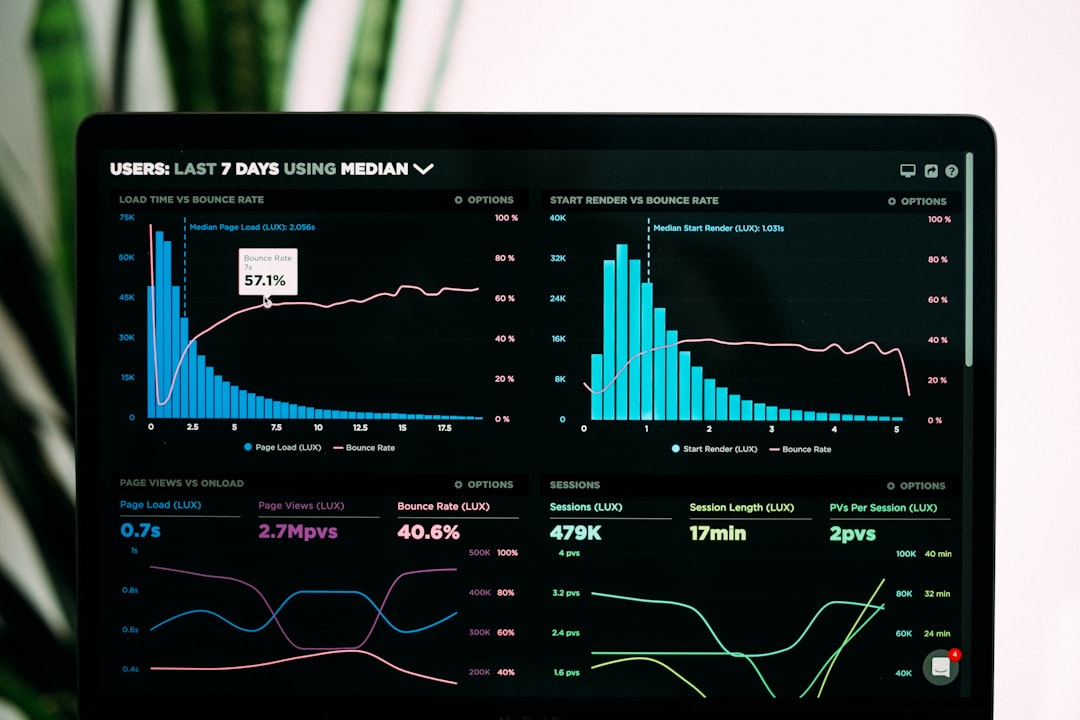
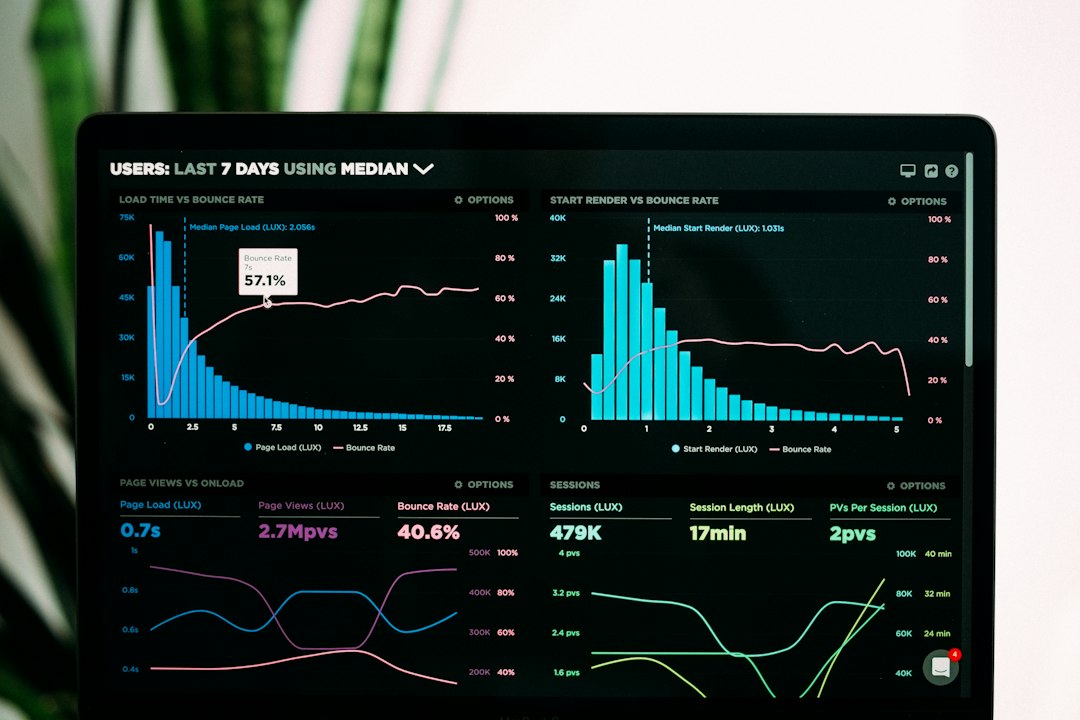
A reporting dashboard should answer basic sales questions without drama. Who engaged? What did they view? Which account is active? Which deal is stalling? What content supports revenue?
Flowla-style dashboards are most useful when they connect activity to deal progress. Views alone are not enough. A prospect opening a proposal once is different from five stakeholders reviewing pricing three times over two days.
Strong dashboards should include:
- Account-level engagement: See activity across all stakeholders in one deal.
- Contact-level activity: Know which buyer watched a video, opened a file, or completed a task.
- Content performance: Identify which decks, case studies, and videos are used most and which ones help move deals forward.
- Deal room progression: Track whether buyers are completing agreed steps.
- Time-based trends: Spot engagement drops before a forecast call turns awkward.
- CRM reporting fields: Push relevant activity back into the system of record.
Honestly, it feels like some dashboard tools are built for screenshots in sales decks, not actual Monday morning pipeline reviews. Avoid that. Managers need clean numbers, filters, and exports. Reps need useful signals, not a wall of tiny charts.
Questions to Ask About Flowla Reporting
When evaluating Flowla’s reporting dashboards, bring specific questions. Do not rely only on the standard product tour.
- Can managers filter engagement by rep, team, region, segment, or stage?
- Can dashboards show buyer activity by stakeholder role? A CFO view may matter more than a casual click from an intern.
- Can reps receive alerts when high-value content is opened?
- Can activity data update opportunity fields in the CRM?
- Can sales leaders compare content usage with win rates?
- Can admins remove noise from the dashboard? Too many metrics can be worse than too few.
- Can data be exported for deeper analysis?
If the answer to several of these is “not yet,” pause. A platform can still be useful, but reporting gaps become painful once leadership starts using it for forecasting.
Fit With Your Sales Motion
Flowla may suit teams with consultative sales cycles, multiple buyer roles, and a need for structured follow-up. It can be especially useful for SaaS, agencies, professional services, and companies selling complex solutions.
For short, transactional sales cycles, the value may be lower. If deals close after one call and a payment link, a full buyer workspace could be overkill. Expect to waste time on setup if the tool is heavier than the sales motion requires.
Ask how many buying steps your average deal has. If the answer is five or more, shared workspaces and action plans can help. If the answer is two, keep the evaluation strict.
Ease of Use Matters More Than Feature Count
A sales enablement platform fails when reps see it as admin work. The rep experience should be fast. Creating a room, adding content, assigning next steps, and sending a link should feel natural.
Test these tasks during evaluation:
- Create a new deal room from a template.
- Add a custom introduction video or note.
- Attach pricing and a case study.
- Assign buyer tasks with due dates.
- Send the workspace to a prospect.
- Check engagement after the buyer opens it.
If each task takes too many clicks, reps will retreat to email attachments. That ruins the data story. Reporting only works when activity happens inside the platform.
Content Governance and Brand Control
Sales content gets messy fast. Old decks remain in circulation. Pricing sheets get copied. Product claims drift. A platform like Flowla can help, but only if governance tools are strong.
Check whether admins can control approved assets, lock key sections, update templates, and retire outdated files. Also confirm whether content updates apply across existing rooms. Nobody wants a buyer reviewing last quarter’s pricing because a file sat untouched in an old workspace.
CRM, Security, and Buyer Experience
CRM fit is critical. If Flowla activity stays trapped outside Salesforce, HubSpot, or your main CRM, sales operations will eventually complain. The team needs clean syncing, clear ownership, and fields that match the way managers inspect pipeline.
Security also matters. Ask about permissions, access controls, data retention, SSO, and audit logs. Buyers should not need a frustrating login process just to view a proposal, but sensitive materials still need protection.

Then test the buyer experience on mobile and desktop. Open the room as if you were a CFO with three minutes between meetings. Is the next step obvious? Is the proposal easy to find? Can the buyer share it internally without asking the rep for help?
Evaluation Scorecard
Use a simple scorecard before making a decision. Rate each area from 1 to 5.
- Rep usability: Can sellers use it without handholding?
- Buyer clarity: Does the room make decisions easier?
- Dashboard quality: Are insights useful for coaching and forecasting?
- CRM sync: Does data support the current sales process?
- Content control: Can marketing and enablement manage assets cleanly?
- Setup effort: How long will rollout take?
- Cost versus impact: Will the platform save time or improve win rates enough to justify spend?
The best choice is the platform that turns buyer activity into clear next actions. Flowla can be a strong option for teams that need collaborative deal rooms and better visibility into buyer engagement. Still, the buying decision should come down to workflow fit, reporting depth, rep adoption, and the quality of data your managers can use when revenue pressure hits.