
A strong Design Loop turns creative work into a repeatable system, not a random scramble for “better ideas.” It gives a team a clear route from brief to finished asset, with review and revision built into the process. The result is faster visual production, fewer dead ends, and content that fits the brand more often.
TLDR: A Design Loop is a workflow where creative assets move through planning, concepting, production, feedback, revision, approval, and performance review. For example, a five-person marketing team producing 40 social posts per month might cut review time by 30% after using fixed feedback rounds and shared templates. The loop works because each project teaches the next one. It is not about endless tweaking; it is about learning faster and wasting less time.
What Is a Design Loop?
A Design Loop is a structured cycle for creating visual content. It helps teams take an idea from rough brief to polished deliverable, then feed results back into the next round of work. Designers, marketers, content managers, and founders use it to keep creative production moving without losing quality.
The loop usually includes these stages:
- Brief: Define the goal, audience, format, message, and deadline.
- Research: Review brand rules, past content, audience data, and references.
- Concept: Create rough directions before polishing anything.
- Production: Build the asset in the needed size, format, or channel.
- Review: Gather feedback from the right people only.
- Revision: Improve the asset based on clear notes.
- Approval: Lock the final version and prepare it for use.
- Measurement: Track what worked and what should change next time.

Why Creative Iteration Matters
Most great content is not born finished. It improves through focused iteration. A first draft shows the direction. A second draft fixes weak structure. A third draft sharpens details. After that, extra edits can become noise.
The catch is that many teams confuse iteration with endless opinion gathering. One person wants brighter colors. Another wants more copy. A third asks for a version that “feels more premium” but gives no clear reason. That kind of feedback burns hours and leaves the designer guessing.
A healthy Design Loop keeps iteration useful. It asks three simple questions:
- Does the design meet the brief?
- Does it fit the brand?
- Will it work for the intended channel?
If feedback cannot connect to one of those questions, it may not belong in the review.
The Core Design Loop Workflow
A practical workflow starts before any design tool opens. The team first writes a short brief. It does not need ten pages. It needs clarity. A useful brief states the audience, offer, message, size, channel, tone, deadline, and required assets.
Next comes visual direction. The designer can collect references, compare past campaign results, and sketch two or three routes. This keeps production from starting too early. It drives teams crazy when a polished design gets rejected because the basic direction was never agreed on.
After direction approval, production begins. Templates, brand kits, component libraries, and saved export settings help here. They reduce repeat work. They also keep small details consistent, such as spacing, logo placement, button styles, and image crop rules.
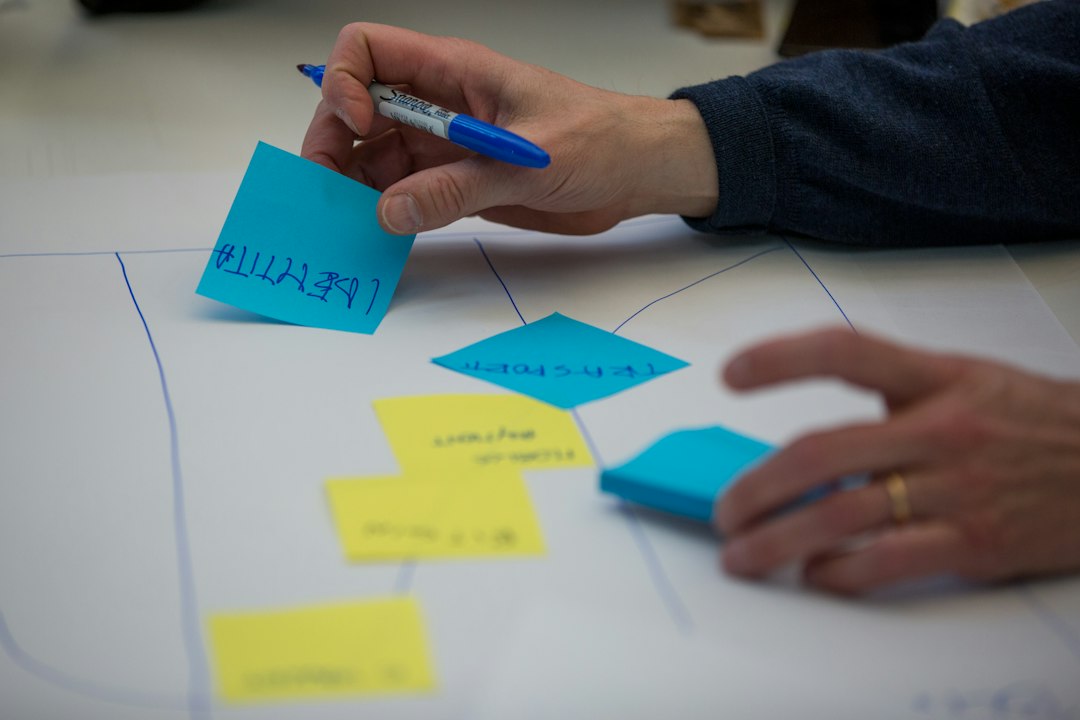
Review should happen in rounds. A simple setup works well:
- Round 1: Strategy and message check.
- Round 2: Visual polish and brand check.
- Round 3: Final proof, file specs, and approval.
More than three rounds often means the brief was weak, the decision maker was absent, or feedback was too broad.
Visual Production Inside the Loop
Visual production is where the loop becomes real. This stage includes layouts, image treatment, typography, motion frames, ad variations, thumbnails, banners, presentation slides, product graphics, and social posts.
Good production systems use reusable parts. A designer might create a master layout for a campaign, then adapt it into a square post, story frame, email header, web banner, and paid ad. This saves time and protects consistency.
Version control matters too. Files need clear names. A team should avoid folders packed with confusing labels such as “final,” “final2,” and “final really final.” A cleaner naming system might include project name, channel, size, date, and version number.
For example:
- spring sale instagram square 1080 v01
- spring sale email header 1200 v02
- spring sale display ad 300×250 approved
This sounds basic. Yet sloppy file control can cost real time. If a designer spends 8 minutes searching for the right file five times per week, that is more than 34 wasted hours per year.
How the Design Loop Improves Content Creation
Efficient content creation depends on repeatable decisions. The Design Loop helps teams stop rebuilding every asset from scratch. Instead, they create rules, test them, improve them, and reuse what works.
A strong loop supports:
- Speed: Templates and fixed review steps reduce delay.
- Quality: Clear checks prevent off-brand work.
- Consistency: Shared systems keep campaigns aligned.
- Learning: Performance data shapes the next batch of content.
- Focus: Fewer people give better feedback at the right time.
Analytics should not arrive after months of guessing. Even basic numbers help. A team can track click rate, conversion rate, watch time, saves, shares, comments, signups, and cost per result. If motion posts receive 22% more saves than static posts over six weeks, the next loop should include more motion tests.
Common Problems and Fixes
Problem: The brief is vague.
Fix: Require one main goal, one audience, one core message, and one success metric before design starts.
Problem: Feedback arrives too late.
Fix: Add an early concept review. Big direction changes should happen before polish.
Problem: Too many people approve the work.
Fix: Assign one final owner. Others may comment, but one person decides.
Problem: Designs take too long to adapt.
Fix: Build modular layouts with reusable text blocks, image zones, and safe spacing.
Problem: Results never shape future work.
Fix: Hold a short monthly review. Keep what performs. Drop what does not.
Best Practices for a Better Design Loop
- Limit feedback rounds. Two or three rounds should be enough for most content.
- Use written comments. Verbal feedback gets lost or softened.
- Separate strategy from polish. Do not debate colors before the message works.
- Create channel rules. A TikTok frame, email banner, and print flyer do not need the same layout logic.
- Save winning patterns. High-performing layouts should become templates.
- Track time per asset. If one format takes twice as long but performs poorly, it needs review.
FAQ
What is a Design Loop in simple terms?
A Design Loop is a repeatable creative process. A team plans, designs, reviews, revises, publishes, and studies results, then uses those lessons in the next project.
How many revision rounds should a Design Loop include?
Most teams work best with two to three revision rounds. More rounds can be useful for major campaigns, but daily content should not need endless edits.
Who should be involved in the review stage?
The review should include the designer, content owner, brand owner, and final decision maker. Extra reviewers should only join when their input affects accuracy, legal risk, or campaign goals.
How does a Design Loop help small teams?
Small teams benefit because the loop reduces guesswork. Templates, clear briefs, and fixed approvals help a small group produce more assets without lowering quality.
What is the biggest mistake in a Design Loop?
The biggest mistake is starting production before the goal is clear. A weak brief creates weak work, slow reviews, and avoidable frustration.
How can a team measure Design Loop success?
A team can track production time, revision count, approval time, engagement rate, conversion rate, and content output. If assets ship faster and perform better, the loop is working.