The best YouTube report template choice depends on the reporting job: YouTube Analytics is faster for channel checks, while Looker Studio is better for repeatable client, executive, or multi-channel reports.
TLDR: YouTube Analytics works well when a creator needs a quick read on views, watch time, retention, traffic sources, and revenue inside one channel. Looker Studio is stronger when a team needs a branded YouTube report template that updates on a schedule and combines YouTube data with Google Ads, Search Console, GA4, or spreadsheets. For example, an agency managing 12 channels could save 6 to 8 hours per month by replacing manual screenshots with a Looker Studio dashboard that refreshes weekly and flags videos with a 30% drop in average view duration.
What a YouTube Report Template Should Actually Do
A good YouTube report template should answer one question fast: is the channel growing in a useful way? Views alone do not answer that. A video can gain 80,000 views and still bring weak subscribers, low watch time, or poor revenue.
The strongest templates usually include:
- Views: total video reach over a set period.
- Watch time: total hours watched, often more useful than views.
- Average view duration: how long people stay.
- Audience retention: where viewers leave.
- Click through rate: how thumbnails and titles perform.
- Impressions: how often YouTube shows the content.
- Subscribers gained and lost: growth tied to content.
- Traffic sources: search, suggested videos, browse, external, and playlists.
- Top videos: winners, losers, and outliers.
- Revenue: RPM, CPM, ad revenue, and estimated earnings where available.
YouTube Analytics: Best for Fast Native Reporting
YouTube Analytics is the built-in reporting area inside YouTube Studio. It is the fastest place to check what happened on a channel. No setup is needed. No connector is required. The data is already there.
It is especially useful for creators, channel managers, and small teams that need quick answers. They can check whether a new upload is above normal, see if a thumbnail is weak, or compare the first 24 hours of recent videos.
The main strength is speed. A creator can open YouTube Studio and see real-time views, retention graphs, subscriber changes, and revenue details within seconds. For day-to-day content decisions, that is hard to beat.
Useful YouTube Analytics report sections include:
- Content performance: compare Shorts, live streams, and long-form videos.
- Audience behavior: see when viewers are online and what they watch.
- Retention curves: spot weak intros, boring sections, or strong hooks.
- Revenue reports: review earnings by video, geography, and ad type.
- Traffic source reports: find whether growth comes from search or recommendations.
The catch is… YouTube Analytics is not ideal for polished reporting. Exporting data can feel clunky. Screenshots age quickly. Comparing many channels takes too much manual work. A manager who needs a clean monthly report for stakeholders may spend more time copying numbers than reading them.
Looker Studio: Best for Branded, Repeatable Reports
Looker Studio is Google’s free dashboard and reporting tool. It can connect to YouTube Analytics through native and partner connectors. It can also combine YouTube data with data from Google Ads, GA4, Search Console, BigQuery, and spreadsheets.
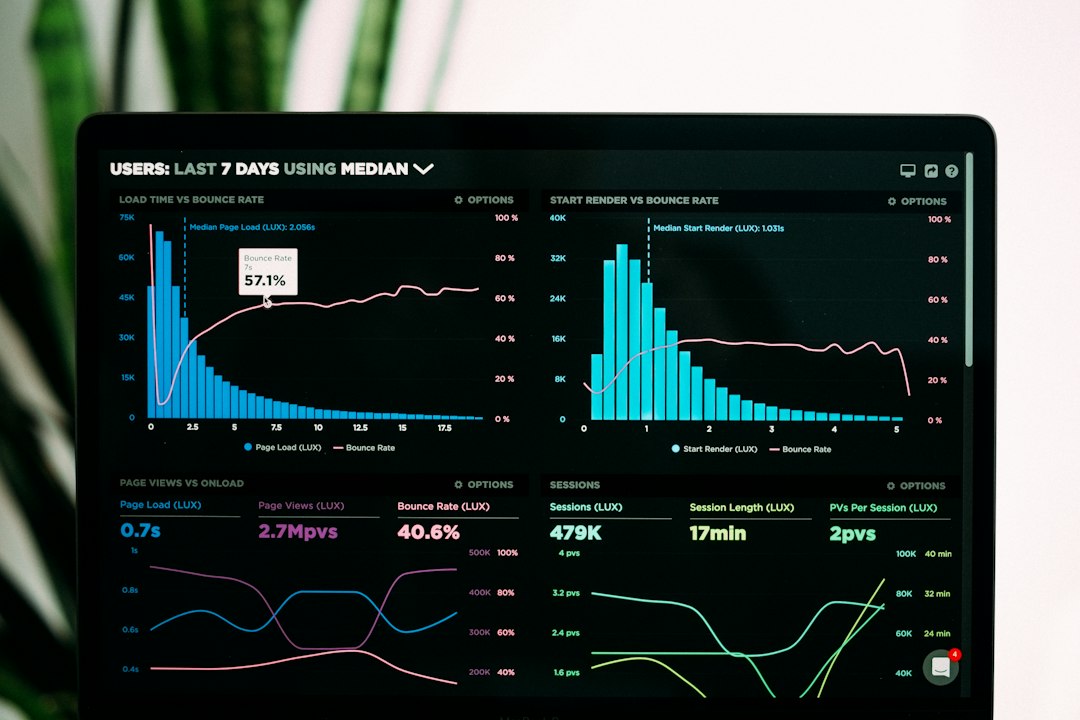
That makes it better for agencies, marketing teams, media companies, and executives. A Looker Studio YouTube report template can refresh automatically. It can show one channel or many. It can use brand colors, custom charts, filters, date selectors, and summary pages.
A typical Looker Studio YouTube report might include:
- Executive summary: views, subscribers, watch time, revenue, and month-over-month change.
- Video leaderboard: top videos by views, retention, clicks, and subscribers gained.
- Audience page: age, gender, country, device, and returning viewers.
- Traffic source page: search, suggested, browse, external, and playlist performance.
- Revenue page: RPM, CPM, estimated revenue, and monetized playbacks.

It drives analysts a little mad that connector limits and sampling can create small delays or missing fields. Some teams also find that building the first clean template takes longer than expected. A simple report may take 30 minutes. A polished client-ready version can take several hours.
YouTube Analytics vs Looker Studio: Key Differences
The tools are not really rivals. They serve different reporting habits.
- Speed: YouTube Analytics wins. It is built into YouTube Studio and needs almost no setup.
- Design: Looker Studio wins. It supports branded layouts, custom charts, and shareable reports.
- Depth inside one video: YouTube Analytics wins, especially for retention and real-time checks.
- Cross-platform reporting: Looker Studio wins because it can combine several data sources.
- Automation: Looker Studio wins because dashboards can refresh and be shared on a schedule.
- Client reporting: Looker Studio usually wins because it looks cleaner and needs fewer screenshots.
- Creator workflow: YouTube Analytics wins for daily checks after publishing.
When YouTube Analytics Is the Better Template Source
YouTube Analytics is the better option when the report is for internal content decisions. A creator testing three thumbnail styles does not need a full dashboard. They need quick CTR, impressions, and retention data.
It also works well for short reporting cycles. For example, a channel manager reviewing a video 48 hours after upload can check whether the video is above the channel’s usual view range. If the CTR is 3.1% while the channel average is 6.4%, the title or thumbnail needs attention.
YouTube Analytics is also better when the team needs detailed retention charts. Looker Studio can show helpful summaries, but YouTube Studio gives clearer video-level behavior. For editing decisions, that matters.
When Looker Studio Is the Better Template Source
Looker Studio is better when reporting has to be repeated every week or month. It is also better when people outside the content team need to read the report. Executives usually do not want to click through YouTube Studio. They want a clean summary.
Agencies gain the most from Looker Studio. A single template can be copied for each client. Filters can separate channels, campaigns, regions, or content formats. With the right setup, a monthly report that once took two hours can take ten minutes to review.
Looker Studio also helps when YouTube is only one part of the marketing funnel. A team can compare paid promotion, website traffic, newsletter signups, and video performance in one report. That makes it easier to see which videos bring real business results, not just attention.

Recommended YouTube Report Template Structure
A practical template should use both tools. YouTube Analytics should support content diagnosis. Looker Studio should handle recurring reporting.
- Page 1: Summary with views, watch time, subscribers, revenue, and percent change.
- Page 2: Content performance with top videos and underperforming videos.
- Page 3: Audience growth with new viewers, returning viewers, and subscribers.
- Page 4: Traffic sources with search, suggested, browse, and external traffic.
- Page 5: Revenue with RPM, CPM, and earnings by video.
- Page 6: Action list with three clear recommendations for the next cycle.
The best setup is simple. YouTube Analytics answers why a video behaved that way. Looker Studio shows what changed over time and keeps everyone aligned.
FAQ
Is YouTube Analytics enough for reporting?
Yes, for creators and small teams that only need channel-level checks. It is less useful for polished client reports or cross-platform reporting.
Is Looker Studio free for YouTube reports?
Looker Studio is free, but some YouTube connectors or advanced data setups may have costs. Native Google connections are often enough for basic reports.
Which tool is better for audience retention?
YouTube Analytics is better for detailed retention review. It shows stronger video-level behavior and helps teams spot weak intros or drop-off points.
Which tool is better for agencies?
Looker Studio is usually better. Agencies can create branded templates, copy them across clients, and reduce manual reporting time.
Should a YouTube report template include revenue?
Yes, if the channel is monetized and the audience has permission to see financial data. RPM, CPM, and estimated revenue add useful business context.