
Choose SendGrid if your team wants SMTP email marketing with a stronger campaign interface and less developer work. Choose Mailgun if your team treats email as infrastructure and needs precise logs, routing, APIs, and technical control. Both can send promotional and lifecycle emails over SMTP, but they serve different operating styles.
TLDR: SendGrid is usually the better fit for marketing teams that need lists, templates, campaign reporting, and SMTP delivery in one place. Mailgun is usually better for product and engineering teams sending high volumes of triggered emails, such as password resets, onboarding flows, invoices, and behavior based messages. For example, a SaaS company sending 120,000 emails per month might save several hours per campaign with SendGrid’s marketing tools, while Mailgun may give engineers faster troubleshooting through detailed event logs. If nontechnical users will manage campaigns, pick SendGrid; if developers own most email work, pick Mailgun.
What SMTP Email Marketing Really Needs
SMTP email marketing is not just “send a lot of messages.” It needs reliable delivery, bounce handling, unsubscribe support, authentication, analytics, templates, IP reputation management, and clear reporting. A cheap SMTP relay can send email, but that does not mean inbox placement will be good.
The real question is simple: who will run your email program? If marketers own it, the platform must be easy to use. If engineers own it, logs and APIs matter more than drag and drop tools.

SendGrid: Best for Marketing Teams That Still Need SMTP
SendGrid, now part of Twilio, is widely used for both transactional and marketing email. Its biggest advantage is that it gives teams a practical mix of SMTP relay, API sending, templates, contact management, and campaign tools.
The platform is not perfect. Honestly, it feels like some account and sender setup flows have more steps than they should. Verifying domains, adding DNS records, checking sender identity, and waiting for everything to appear as verified can feel slow. Still, the process is documented well enough for most teams to complete without calling in a specialist.
SendGrid works well when you need:
- Marketing campaigns with templates, lists, and segmentation.
- SMTP relay for apps, CRMs, ecommerce tools, or custom systems.
- Transactional email such as receipts, alerts, and onboarding messages.
- Deliverability tools such as dedicated IPs, domain authentication, and reputation tracking.
- Analytics for opens, clicks, bounces, blocks, spam reports, and unsubscribes.
SendGrid’s campaign features make it easier to move from basic SMTP sending to structured email marketing. A marketer can build a product update email, test a subject line, and send it to a segment without writing code. That matters when speed is part of the job.
Mailgun: Best for Developer Led Email Operations
Mailgun is strongest when email is part of your application infrastructure. It offers SMTP and API sending, but its core value is technical control. Developers often prefer Mailgun because the logs are detailed, the event data is useful, and the platform is built around programmatic sending.
Mailgun is a strong fit for companies that send lifecycle emails from apps. Think trial reminders, billing notices, security alerts, shipping updates, and behavior based messages. It is less friendly for a marketing manager who wants to create a polished newsletter without technical help.
Mailgun works well when you need:
- Detailed email logs for delivery, deferrals, failures, and complaints.
- API first sending for product triggered email.
- Email validation to reduce bad addresses before sending.
- Routing rules for inbound email processing.
- Technical deliverability controls for high volume senders.
The catch is that Mailgun can feel thin if your goal is classic email marketing. Campaign planning, creative editing, and list based workflows are not its strongest areas. Expect to waste time on extra setup if your team needs a full marketing workspace rather than an email engine.

Deliverability: Which One Gets More Emails to the Inbox?
No provider can guarantee inbox placement. Anyone claiming that should be treated with care. Inbox placement depends on sender reputation, list quality, authentication, engagement, complaint rates, sending patterns, and message content.
Both SendGrid and Mailgun support the basics:
- SPF authentication
- DKIM signing
- DMARC alignment
- Bounce processing
- Spam complaint tracking
- Dedicated IP options
- Suppression management
For marketing teams, SendGrid may be easier because reputation signals are surfaced in a more accessible way. For technical teams, Mailgun may be better because raw event data can be pulled into internal dashboards. If you already use business intelligence tools, Mailgun’s event structure can be useful.
A practical rule helps here. If you send fewer than 50,000 emails per month, tool choice matters less than list hygiene and authentication. If you send more than 500,000 emails per month, IP warming, suppression logic, segmentation, and engagement filtering become serious work.
Ease of Use
SendGrid is easier for marketers. Its interface gives teams a more complete place to manage templates, contacts, and scheduled sends. It is not as polished as some dedicated email marketing platforms, but it is much more practical for campaign work than a pure SMTP service.
Mailgun is easier for developers. Engineers can inspect message events, test routes, track delivery issues, and connect email data to internal tools. The interface is functional, but it is not built to make a newsletter manager happy.
Analytics and Reporting
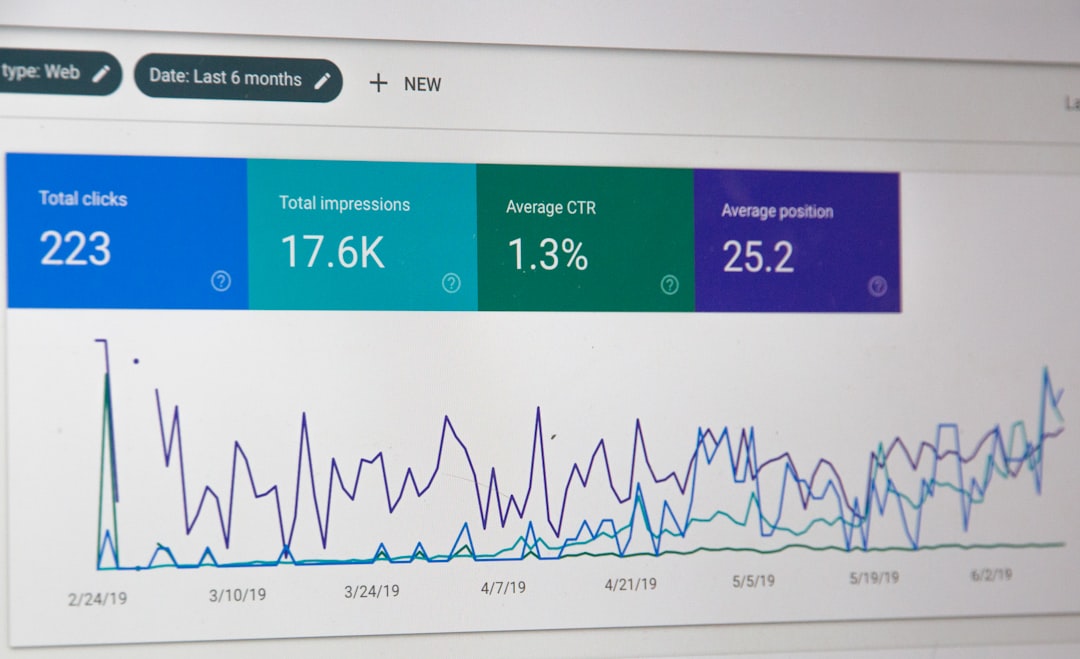
SendGrid offers the reporting most marketing teams expect: sends, deliveries, opens, clicks, bounces, unsubscribes, and spam reports. That makes campaign reviews easier. Managers can see whether a subject line worked or whether a segment performed poorly.
Mailgun reporting is more operational. It shines when someone asks, “Why did this message fail?” or “Which mail server deferred these sends?” That level of detail can save time during incidents. If a login email fails for a paying customer, Mailgun makes investigation straightforward.
Pricing and Scale
Pricing changes often, so always check current plan pages before buying. In general, both tools offer entry level plans, then charge based on volume, features, support, and deliverability options. Dedicated IPs, validation, advanced support, and reputation services usually cost extra.
For small senders, the lowest monthly price should not be the only factor. A cheaper plan can become expensive if it lacks support, clear logs, or basic marketing tools. For larger senders, compare total cost at your real volume. Use your expected monthly sends, contact count, dedicated IP needs, and validation volume.
Compliance and List Quality
SMTP marketing must respect consent laws and recipient expectations. You need clear opt in records, easy unsubscribe links, a physical mailing address where required, and clean suppression lists. This applies whether you use SendGrid or Mailgun.
Bad lists will hurt both platforms. Purchased lists, scraped addresses, and old contacts with no recent engagement can trigger spam complaints. A good provider cannot fix poor permission practices. Keep complaint rates low, remove hard bounces, and stop sending to people who never engage.
Final Verdict: SendGrid vs Mailgun
Pick SendGrid if you want SMTP email marketing with campaign tools, templates, contact management, and reports that nontechnical users can understand. It is the safer choice for marketing departments, ecommerce teams, B2B newsletters, product announcements, and mixed marketing plus transactional sending.
Pick Mailgun if your product team controls email and needs strong SMTP or API infrastructure. It is the better choice for app generated email, deep logs, inbound routing, validation, and internal reporting pipelines.
The serious answer is not that one is always better. SendGrid is more marketing friendly. Mailgun is more engineering friendly. Choose based on who owns email day to day, how much control you need, and how painful it would be if a campaign or transactional message failed without a clear reason.