
Choose Audacity if you need the cleanest final recording and real editing control; choose Rev Online Voice Recorder if you need a fast, browser-based capture with almost no setup. Audacity is a free, open source audio editor and recorder available for Windows, macOS, and Linux, which makes it the stronger long-term tool for podcasts, interviews, voiceovers, and training audio [source: Audacity].
TLDR: Audacity is the better choice for clear, polished audio because it gives you noise reduction, waveform editing, gain control, and export options. Rev Online Voice Recorder is better when speed matters more than post-production, such as recording a two-minute client quote on a borrowed laptop. In a simple workflow test, a speaker recording a 10-minute narration may spend about 2 minutes starting with Rev, but 12 to 20 minutes cleaning and exporting in Audacity for a more professional result. If the file must sound publishable, Audacity wins; if it only needs to be captured quickly, Rev is enough.
Best for most serious recordings: Audacity
Audacity is not technically an online audio recorder. It is a desktop app. That matters. It means you need to install it, check your input settings, and save your project locally. Still, for anyone who cares about clear sound, that extra setup usually pays off.
Audacity gives you control over the full recording chain. You can choose the microphone, set the input level, record in mono or stereo, cut mistakes, reduce background noise, normalize volume, and export in formats such as WAV or MP3. Rev Online Voice Recorder is simpler. It records through the browser and lets you download the file. That is useful, but it is not the same as having a full editor.

Where Rev Online Voice Recorder works best
Rev Online Voice Recorder is best for quick capture. Open the page, allow microphone access, press record, and save the result. No software install. No project settings. No confusing panels. For short notes, rough interview clips, student assignments, or reminders, that simplicity is the main selling point.
It also works well when you are using a shared or locked-down computer. If you cannot install Audacity, Rev gives you a clean path to record. This is common in schools, office reception areas, libraries, and temporary workstations.
The catch is that browser audio can be less predictable. One tab notification, one wrong input device, or one browser permission issue can waste time. It drives me crazy that a browser can quietly switch from a USB mic to a laptop mic and ruin a take before you notice. With Rev, always record a 15-second test first.
Clarity and sound quality
Audacity has the edge on clarity because it lets you fix problems after recording. Raw sound depends mostly on the microphone, room, speaker distance, and noise level. No recorder can fully rescue audio from a bad room. But Audacity gives you tools that can make a decent recording sound much cleaner.
- Noise reduction: helpful for steady fan hum, computer noise, or mild room hiss.
- Normalize: raises or balances volume without guessing.
- Compressor: evens out loud and quiet speech.
- Trim and split tools: remove long pauses, stumbles, and repeated lines.
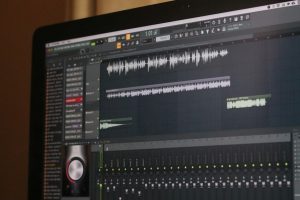
- Waveform view: helps you spot clipping, silence, and uneven levels.
Rev Online Voice Recorder can capture clear audio if the room is quiet and the mic is decent. But once the recording is done, your options are limited. If there is hiss, uneven volume, or a cough in the middle, you will likely need another tool anyway.
Ease of use
Rev is easier on day one. Audacity is easier after you learn the basics. That sounds fair because it is. Rev has almost no learning curve. It is a record button with a download option. Audacity has menus, meters, tracks, effects, exports, and project files. New users can feel a bit lost.
Still, Audacity is not hard once you build a simple routine:
- Plug in your microphone.
- Select it in Audacity.
- Record 10 seconds of test audio.
- Check that peaks stay below clipping.
- Record the full piece.
- Apply light noise reduction and normalization.
- Export the finished file.
Expect to waste time on the first setup. After that, repeat recordings get much faster.
Privacy and file control
Audacity is better when the recording contains sensitive material. Since it runs locally, your project can stay on your computer unless you choose to upload it elsewhere. That is useful for legal notes, internal business updates, medical dictation drafts, private coaching sessions, and unreleased creative work.
Rev Online Voice Recorder is convenient, but it runs in a browser. Users should review Rev’s terms and privacy details before recording confidential content [source: Rev]. For casual use, that may be fine. For regulated or private work, local recording is usually safer.

Editing and export options
This is where Audacity wins by a wide margin. It is built for editing. You can remove mistakes without re-recording the entire file. You can combine multiple takes. You can add intro music, fade it down, and keep speech clear. You can also export a high-quality WAV master and a smaller MP3 version for sharing.
Rev Online Voice Recorder is more of a capture tool. That is not a flaw if capture is all you need. But if you plan to publish the file, send it to a client, or use it in a course, you will probably want editing. At that point, Rev becomes the first step, not the full workflow.
Which recorder is better for podcasts?
Use Audacity for podcasts. Podcast audio needs consistency. Listeners notice harsh peaks, low voices, background hum, and awkward gaps. Audacity gives you the tools to shape the recording before release.
Rev can still help with podcast planning. You can use it to record quick episode ideas, guest prep notes, or rough remote clips. But for final show audio, Audacity is the stronger choice.
Which recorder is better for interviews?
It depends on the interview type. For formal interviews, Audacity is better. You can monitor levels, keep files local, and clean the sound later. For quick quotes or informal field notes, Rev is faster.
If the interview is remote, neither tool is perfect by itself. Browser-based meeting apps compress audio. Phone calls sound limited. A better method is to ask each speaker to record locally on their own device, then combine the tracks in Audacity.
Practical recording tips for clearer audio
- Use an external microphone instead of a laptop mic whenever possible.
- Record in a soft room with curtains, carpet, books, or fabric nearby.
- Keep the mic 6 to 10 inches from your mouth for stable speech levels.
- Turn off fans and loud appliances before you start.
- Record a short test and listen with headphones.
- Avoid clipping by keeping peaks below the top of the meter.

Verdict: Audacity vs. Rev Online Voice Recorder
Audacity is the best choice for clear, finished audio. It gives you recording control, serious editing features, and better file management. It takes longer to learn, but the result is usually worth it.
Rev Online Voice Recorder is best for quick, simple recordings. It is ideal when you need speed, access from any browser, or a no-install option. It is not the best tool for polishing sound, but it is useful for fast capture.
For most people, the smartest setup is not either-or. Use Rev when you need to record something quickly. Use Audacity when the audio has to sound clean, controlled, and ready to share.