
The best AR testing programs prove one thing first: the virtual object stays believable when real people move, tap, scan, rotate, and walk away from ideal lab conditions. Augmented reality can fail in small, ugly ways. A chair floats two centimeters above the floor. A face filter slips off the jaw. A training arrow points at the wrong machine part. Users notice fast, and they usually blame the app.
TLDR: AR testing checks whether digital content stays stable, responsive, accurate, and comfortable across real devices and environments. Teams test tracking, surfaces, lighting, gestures, frame rate, battery drain, and edge cases such as mirrors or low light. For example, a furniture retailer might test a virtual sofa in 50 rooms and reject a release if object drift exceeds 3 cm in more than 5% of sessions. Good AR QA mixes automated checks, field testing, user observation, and performance profiling.
Why AR Testing Is Harder Than Standard App Testing
普通 mobile testing asks, “Does the button work?” AR testing asks, “Does the button work while the camera tracks a moving room, estimates depth, maps a floor, renders a 3D model, and reacts to a hand gesture?” That is a lot for one device.
AR experiences depend on the physical world. Lighting changes. Walls are blank. Floors shine. Users shake the phone. A device heats up after six minutes and drops frames. Honestly, it feels like AR waits until the demo starts before showing its worst bugs.
Development teams usually test across four core areas:
- Tracking: Can the app understand movement, position, surfaces, and scale?
- Interaction: Can users place, move, resize, select, and reset virtual content with ease?
- Visual quality: Does the AR object look natural in the camera view?
- Performance: Does the app stay smooth, cool, and responsive?
Testing Tracking and Spatial Accuracy
Tracking is the spine of an AR experience. If it breaks, the illusion collapses. Teams evaluate how well the app estimates device motion, finds planes, anchors objects, and keeps content fixed in place.
Common tracking tests include:
- Plane detection: Can the app find floors, tables, walls, and uneven surfaces?
- Anchor stability: Does a virtual item stay where it was placed?
- Scale accuracy: Is a 1 meter object close to 1 meter in the real world?
- Drift testing: Does the object slide after the user walks around it?
- Relocalization: Can the app recover after losing tracking?
Teams often set numeric thresholds. A product viewer may allow only 1 to 2 cm of drift after a 360 degree walkaround. A medical training app may need tighter limits. A casual game may accept more movement if the fun stays intact.
Lighting tests matter too. Engineers test bright daylight, office light, dim rooms, colored light, shadows, reflective floors, glass tables, and blank white walls. These conditions expose weak feature detection. The app may track a patterned rug perfectly, then fail on a smooth kitchen floor.
Evaluating Interaction and Usability
AR interaction looks simple when it works. Tap to place. Pinch to scale. Drag to move. Rotate with two fingers. Behind that simplicity sits a mess of possible user errors.
Testers watch for confusion. Do users understand scanning instructions? Do they know when a surface is ready? Can they recover after placing an object in the wrong spot? Do they keep tapping when the app is still searching?
Good teams test with real users early. Not just designers. Not just developers. Real users hold phones at odd angles, block the camera with fingers, ignore helper text, and walk too close to objects. It drives me crazy that a gesture can feel perfect on one phone and clumsy on a larger one that needs two hands.
Useful interaction metrics include:
- Time to first placement: How long before users place the first AR object?
- Error rate: How often do users misplace, mis tap, or cancel by accident?
- Reset frequency: How often do users restart scanning?
- Task completion: Can users finish the intended action without help?
- Comfort score: Do users report eye strain, dizziness, or fatigue?
For a shopping app, the team might aim for first placement in under 12 seconds. If average placement takes 28 seconds, the feature is not ready. The tracking may be fine, but the user guidance is weak.
Visual Quality and Realism Checks
AR does not need to be movie grade every time. It does need to feel grounded. Visual QA checks whether the virtual content matches the real scene well enough for the use case.
Teams inspect:
- Occlusion: Can real objects appear in front of virtual ones when needed?
- Lighting: Does the model react to the scene brightness?
- Shadows: Does the object cast a believable shadow?
- Texture quality: Are materials sharp without wasting memory?
- Clipping: Does the model pass through walls, floors, or hands?
Visual bugs can hurt trust. If a virtual refrigerator looks 15% too small, a buyer may return the real item. If a safety instruction marker appears behind the wrong pipe, the risk is worse than a bad review.
Performance Testing: Frame Rate, Heat, and Battery
AR is hungry. It uses the camera, motion sensors, CPU, GPU, network, and display at the same time. Performance testing checks whether the experience remains smooth for more than the first minute.
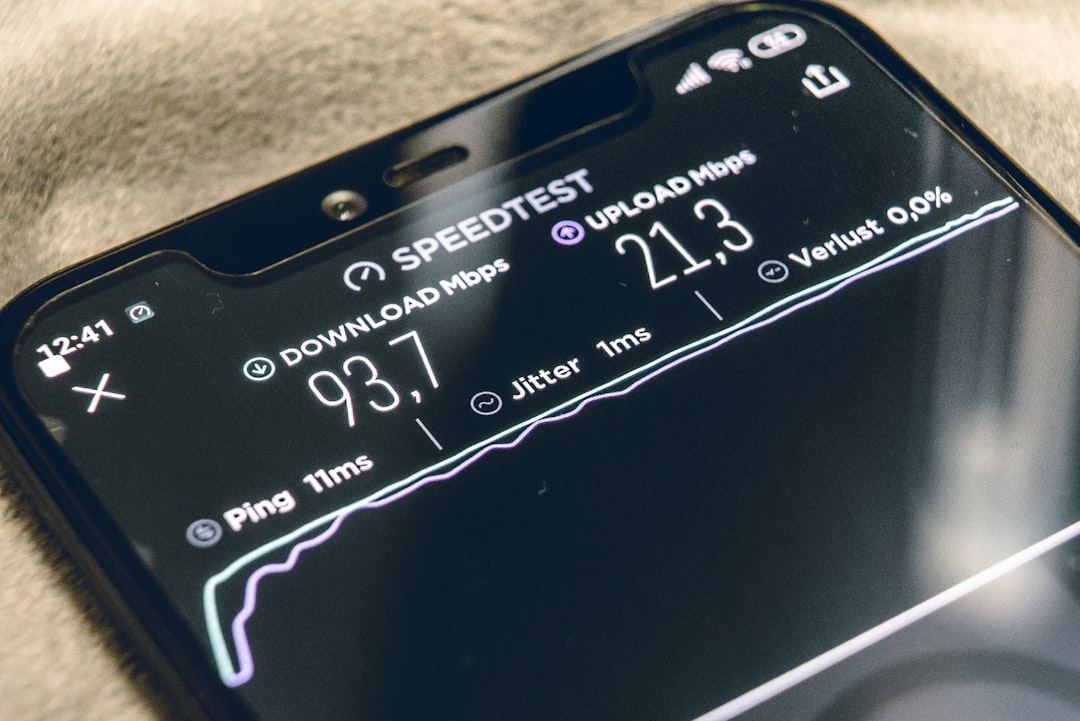
Most teams track frames per second, frame time, memory use, app startup time, thermal state, and battery drain. A common mobile target is 30 fps or 60 fps, depending on the device and use case. Sudden frame drops feel worse than a stable lower frame rate.
Long sessions are vital. A feature may pass a 90 second test, then heat the device after 8 minutes. The camera preview stutters. Touch input lags by 200 ms. The model flickers. Users do not care that the profiler said it was fine earlier.
Performance tests should include:
- Low end and high end devices
- Old operating system versions still used by customers
- Large 3D models and compressed model variants
- Poor network conditions if assets stream from a server
- Background interruptions such as calls, notifications, and app switching
Automation Helps, But Field Testing Still Wins
Automated tests can validate math, asset loading, permissions, app flows, and rendering basics. Simulators can repeat camera paths. Computer vision tools can compare expected object positions against screenshots. These tests catch regressions before human QA spends hours repeating the same scan.
Still, AR needs field testing. A lab cannot fully recreate a glossy airport floor, a dark warehouse corner, a crowded store, or a child waving a tablet during play. Teams should build a matrix of real spaces and test there every sprint if the feature is central to the product.
A practical AR test matrix may include:
- Spaces: small room, large room, hallway, outdoor area, cluttered area
- Lighting: bright, dim, backlit, shadowed, mixed color
- Surfaces: matte, reflective, patterned, plain, uneven
- Users: new users, expert users, left handed users, users with shaky grip
- Devices: budget phones, flagship phones, tablets, supported headsets
What a Strong AR QA Workflow Looks Like
A healthy workflow starts before code is complete. Designers define success metrics. Developers add debug views for anchors, planes, frame rate, and depth. QA builds test cases around real environments. Product owners decide which failures block release.
The best teams also record sessions. Video helps engineers see the moment tracking failed. Logs show memory spikes and sensor state. User comments explain what numbers cannot. “I thought it was loading” is often more useful than another chart.
Before release, teams should answer these questions:
- Does the feature work in the top 10 device models used by the audience?
- Does tracking recover after interruption?
- Can first time users complete the main task without coaching?
- Does performance stay stable for the expected session length?
- Are analytics in place to catch real world failures after launch?
AR testing is part engineering, part observation, and part patience. The goal is not perfection in every room on earth. The goal is a clear, measured experience that survives normal human behavior. When tracking feels stable, interactions feel obvious, and performance stays smooth, AR stops feeling like a trick and starts feeling useful.