
The best Substack link in a social media bio is usually the publication’s subscribe page, paired with a clear reason to click. A creator should not just paste a homepage link and hope visitors figure it out. The bio should tell people what they get, how often they get it, and why subscribing is worth 10 seconds of their time.
TLDR: A strong Substack bio link sends followers to a simple subscription page, not a cluttered destination. For example, a finance writer with 18,000 X followers might test “Get the free Friday market brief” and track 320 profile clicks, 96 email signups, and a 30% click to subscriber rate over one month. The link should be easy to read, branded if possible, and tracked with basic analytics. Small changes to the call to action can lift signups by 10% to 25% without changing the content itself.
What a Substack Link in Bio Should Do
A Substack link in bio has one job: turn social attention into owned audience growth. Social followers are useful, but email subscribers are more stable. Algorithms shift. Posts get buried. A subscriber can still receive new issues directly in their inbox.
The strongest setup gives visitors a single next step. That step may be subscribing, reading a featured post, or joining a paid newsletter. For most writers, the best choice is the free subscription page. It has less friction and builds the list faster.
Honestly, it feels like many creators lose subscribers because their bio link asks people to think too much. A visitor taps, sees five buttons, opens an old post, gets distracted, and never subscribes. That is not a strategy. That is a leak.
How to Add a Substack Link to a Social Media Bio
The exact steps vary by platform, but the process is simple. A creator needs the right URL, a short pitch, and a clean profile edit.
- Open the Substack publication. The creator should go to the main publication page or subscription page.
- Copy the best URL. This may look like publication.substack.com, a custom domain, or a direct subscribe link.
- Edit the social media profile. On Instagram, TikTok, X, LinkedIn, YouTube, or Pinterest, the link usually lives under profile settings.
- Paste the link into the website field. If the platform allows only one link, the Substack link should take priority during newsletter growth campaigns.
- Add a short call to action. The bio text should explain the benefit, such as “Weekly essays on tech policy. Free every Tuesday.”
- Test the link on mobile. Most clicks come from phones, so the page must load cleanly and show the subscribe box fast.
Expect to waste time on tiny platform quirks. Instagram may hide link text unless the profile is viewed a certain way. TikTok may require account settings that support links. LinkedIn can make the website field feel buried. The fix is boring but necessary: test every profile after saving.
Which Substack Link Works Best?
There are several link choices. Each has a different purpose.
- Substack homepage: Good for general discovery, but not always the highest converting option.
- Subscribe page: Best for direct list growth. This should be the default for most creators.
- Featured article: Useful when one essay, guide, or interview proves the value of the publication.
- Paid subscription page: Best when the audience already knows the creator and understands the offer.
- Custom domain: Strong for branding and trust, especially for professional writers and media brands.
If the goal is growth, the subscribe page usually wins. If the goal is trust, a strong article may work better first. A smart creator tests both for two weeks and compares results.
How to Customize the Bio Around the Link
The link is only half the job. The words around it decide whether people tap.
A good bio answers three questions fast:
- Who is it for? Example: “For indie founders building without funding.”
- What does it give them? Example: “One practical growth lesson every Friday.”
- Why should they click now? Example: “Join 12,000 readers before the next issue.”
Strong calls to action are specific. Weak ones sound vague. “Read my newsletter” is fine, but “Get the free 5 minute media brief every Monday” is better. It sets an expectation. It also reduces doubt.
Optimization Tips That Increase Subscribers
Once the link is live, the creator should treat it like a small conversion funnel. The goal is not just clicks. The goal is subscribers.
- Use one main promise. A crowded bio lowers action. One offer works better than three mixed pitches.
- Match the social content to the newsletter. If the profile posts book reviews, the Substack should not feel like a random personal diary.
- Pin a post that points to the same offer. The bio, pinned post, and Substack page should repeat the same message.
- Add social proof. Phrases like “Read by 8,500 marketers” or “Trusted by 2,000 paid members” can improve clicks.
- Keep the landing page clean. The subscribe form should appear quickly. No one wants to hunt for it.
- Refresh the bio during campaigns. A new series, guide, or launch deserves a temporary bio update.
A basic testing plan can be simple. For two weeks, the creator uses one bio phrase. For the next two weeks, they change only the call to action. If clicks stay flat but subscriptions rise, the second landing promise is better. If clicks rise but subscriptions drop, the bio may be attracting curiosity rather than qualified readers.
How to Track Performance
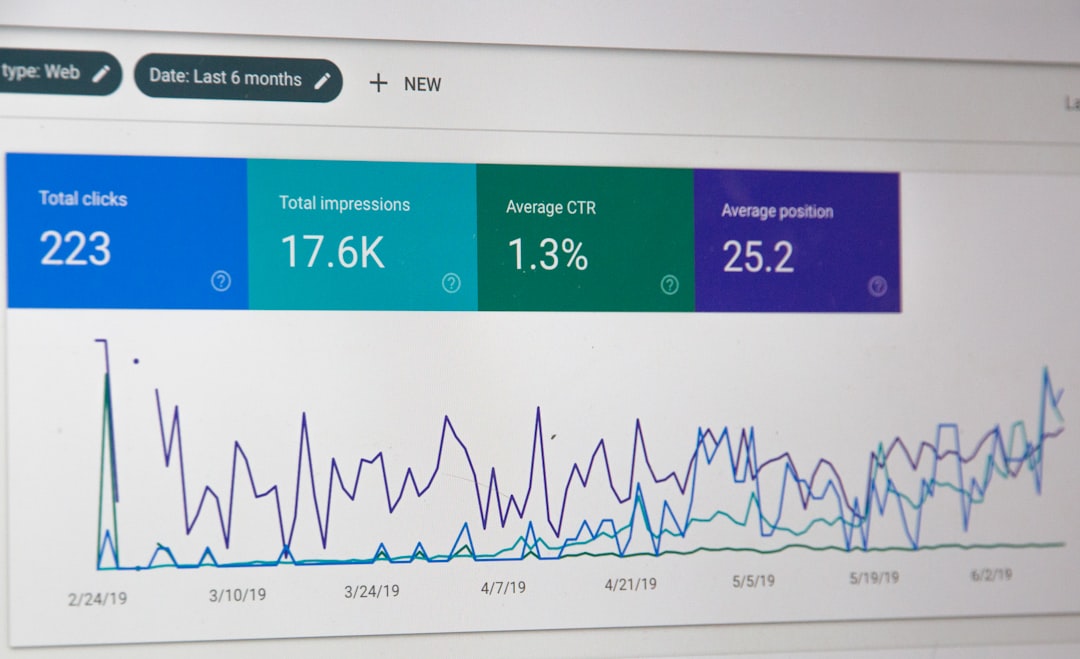
Creators should track three numbers: profile visits, bio link clicks, and new Substack subscribers. These numbers show where the funnel is working or failing.
A simple monthly report might look like this:
- Profile visits: 9,400
- Bio link clicks: 470
- Click rate: 5%
- New free subscribers: 118
- Click to subscriber rate: 25.1%
If profile visits are high but clicks are low, the bio message is weak. If clicks are high but subscriptions are low, the landing page or offer needs work. If both are low, the social content may not be creating enough interest.
Tracking links can help separate traffic by platform. A creator can add simple tags such as ?utm_source=instagram&utm_medium=bio or ?utm_source=linkedin&utm_medium=bio. These tags make it easier to see which profiles bring the best readers.
Common Mistakes to Avoid
The biggest mistake is sending visitors to too many choices. A link hub can be useful, but it often adds an extra tap. For a creator focused on Substack growth, the newsletter should be the first button, clearly labeled.
Another mistake is using a generic bio. “Writer. Thinker. Building things.” does not sell the newsletter. A better version says, “Weekly notes on AI policy, read by 6,000 operators and researchers.”
Creators should also avoid changing the link every day. Data needs time. A two week test is usually enough for small accounts. Larger accounts may get useful results in three to five days.
FAQ
What is a Substack link in bio?
It is a Substack URL placed in a social media profile bio. It usually points to a publication, subscribe page, article, or paid subscription page.
What is the best Substack link to use?
For most creators, the best link is the free subscribe page. It gives visitors a clear action and helps grow the email list faster.
Should a creator use a link in bio tool for Substack?
They can, but it is not always needed. If Substack growth is the main goal, a direct Substack link often works better because it removes one extra click.
How often should the bio link be changed?
It should change only when there is a clear reason, such as a launch, a new series, or a major post. Constant changes make performance harder to measure.
How can a creator get more clicks from social media?
They should use a specific promise, post content related to the newsletter, pin a supporting post, and add social proof when available.
Can a Substack link in bio help grow paid subscribers?
Yes, but paid conversions usually need more trust. A creator may first send visitors to a strong free issue, then promote the paid offer inside Substack.