
For distributed teams, the biggest challenge is rarely “Can we message each other?” It is usually “Can we feel present, coordinated, and aware without turning every interaction into a scheduled meeting?” Teemyco approaches that problem by creating a virtual office where team members can move between rooms, collaborate in real time, and maintain a sense of workplace rhythm even when everyone is remote.
TLDR: Teemyco is a virtual office platform designed to make remote collaboration feel more natural through visual dashboards, shared rooms, quick meetings, and team presence indicators. For example, a 25-person product team could use Teemyco to replace several daily “status check” meetings with open project rooms, reducing unnecessary calls while keeping visibility high. Its collaboration tools are strongest for teams that value spontaneous conversations, while its analytics help managers understand usage patterns, engagement, and workspace activity. Overall, Teemyco is best suited for remote-first or hybrid teams that want more structure than chat, but less friction than formal video meetings.
A Virtual Office Built Around Visibility
Teemyco’s core idea is simple: instead of seeing remote work as a collection of disconnected tools, it gives teams a shared digital office. Users appear in virtual rooms, can see who is available, and can join conversations more naturally than they might through calendar invites or long message threads.
The platform is especially interesting because it does not try to replace every business tool. Instead, it focuses on the missing social layer of remote work: knowing who is around, where work is happening, and when it is appropriate to drop in. This makes it useful for startups, agencies, software teams, customer support groups, and companies experimenting with hybrid work.

Platform Dashboards: What You See When You Log In
The Teemyco dashboard is one of the main reasons the platform feels different from a standard video conferencing app. Rather than opening to a blank meeting screen, users enter a visual workspace. This can include different rooms for departments, projects, social breaks, focus work, onboarding, or leadership discussions.
A well-structured Teemyco dashboard can give employees immediate answers to common questions:
- Who is online right now?
- Which team members are in meetings?
- Where are active conversations happening?
- Is someone available for a quick question?
- Which spaces are intended for focused work or casual interaction?
This visual structure is helpful because remote teams often suffer from invisible context. In a physical office, you can usually tell if someone is busy, deep in conversation, or open to being approached. Teemyco tries to recreate that context digitally by showing availability and location in a shared environment.
The dashboard also gives managers and team leads a lightweight way to organize workspaces. For example, a marketing agency might create rooms for “Client Campaigns,” “Design Review,” “Content Planning,” and “Coffee Break.” A software company might use rooms like “Engineering Standup,” “QA Testing,” “Sprint Planning,” and “Product War Room.” This room-based layout makes the workspace feel purpose-driven rather than chaotic.
Collaboration Features: More Than Just Video Calls
Teemyco’s collaboration experience centers on quick, low-friction communication. While traditional video tools are excellent for scheduled meetings, they can feel too formal for a two-minute question. Teemyco makes these small interactions easier by allowing users to enter a room, start a conversation, or join an ongoing discussion without creating a separate meeting link.
Key collaboration features typically include:
- Virtual rooms: Dedicated spaces for teams, projects, meetings, and informal chats.
- Presence indicators: Visual cues showing whether someone is available, busy, or in another room.
- Instant audio and video: Quick conversations without the need for formal scheduling.
- Screen sharing: Useful for design reviews, debugging sessions, demos, and walkthroughs.
- Team social spaces: Areas for casual chats, coffee breaks, and culture-building moments.
The value of these features becomes clear when you consider how remote teams often lose spontaneous teamwork. In a traditional office, a developer might turn to a colleague and ask for a second opinion. A designer might walk over to a product manager to clarify user feedback. Teemyco gives remote workers a similar option: move into a room, ask, collaborate, and return to focused work.
That said, the platform works best when teams set clear expectations. If everyone stays hidden or treats the virtual office like another unused tool, the benefits fade. But when teams agree on norms such as “be visible during core hours” or “use project rooms for live collaboration,” Teemyco can become a genuinely useful digital workplace.

Analytics: Measuring Engagement and Workspace Activity
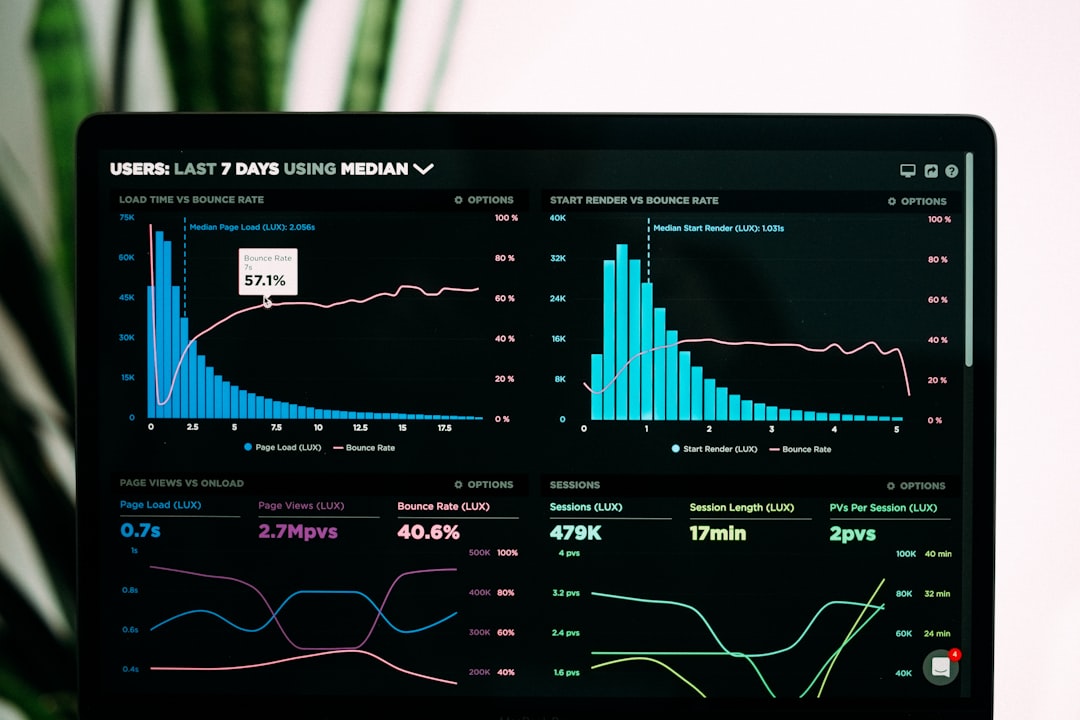
Analytics are an important part of evaluating any collaboration platform. Teemyco’s analytics can help leaders understand how the virtual office is being used, which spaces are active, and whether the platform is supporting real collaboration.
For example, a team lead might review activity and notice that the “Engineering Help Desk” room is used 18 times per week, while a “Daily Standup” room is used only five times. That information can reveal where spontaneous collaboration is actually happening. Similarly, if social rooms see a 30% increase in participation after introducing weekly coffee chats, managers can see whether culture-building efforts are gaining traction.
Useful analytics may include insights such as:
- Room activity: Which rooms are used most often and at what times.
- Team presence: How frequently employees are active in the virtual office.
- Meeting patterns: Whether teams rely more on scheduled meetings or spontaneous conversations.
- Engagement trends: Changes in participation over days, weeks, or months.
- Workspace adoption: Whether the platform is becoming part of daily routines.
These analytics are not just for monitoring. Used well, they can help teams improve workflows. If one department is barely using the platform, leaders can investigate whether the workspace is poorly structured, employees lack training, or another tool is meeting their needs better. If another team is highly active, its setup may provide a template for the rest of the company.
User Case Scenario: A Remote Product Team
Imagine a remote product team of 40 people spread across four time zones. Before Teemyco, they relied on Slack messages, scheduled Zoom meetings, and long project update threads. Team members complained that simple questions took too long to answer, while managers felt disconnected from the daily flow of work.
After adopting Teemyco, the company creates virtual rooms for product management, engineering, design, QA, and informal breaks. During core overlap hours, employees stay visible in the office. Designers can quickly enter the product room to clarify a feature request, while developers can gather in a debugging room for urgent fixes.
Within two months, the team might see practical improvements: fewer unnecessary 30-minute check-ins, faster issue resolution, and more cross-functional conversations. If analytics show that project rooms are active 60% more often during sprint planning weeks, leadership can better understand when collaboration peaks and where support is needed.
Strengths of Teemyco
Teemyco’s strongest advantage is its ability to make remote work feel less isolated. Instead of forcing every interaction through chat or calendar invites, it creates a shared sense of presence. This is particularly valuable for teams that depend on quick feedback, creative brainstorming, or frequent cross-functional alignment.
Another strength is flexibility. Different companies can shape the virtual office around their own culture. A serious enterprise team might create structured department rooms and client-safe spaces, while a startup might build a more playful layout with lounges, focus zones, and brainstorming areas.
The platform also encourages healthier communication patterns. Not every topic needs a formal meeting, and not every question deserves a long message thread. Teemyco gives teams a middle ground: quick, visible, human interaction.
Potential Limitations
Teemyco is not a perfect fit for every organization. Teams that prefer fully asynchronous work may find a virtual office unnecessary. If employees work across very different time zones with minimal overlap, the presence-based model may be less effective.
There is also a cultural adoption curve. A virtual office only works if people actually use it. Organizations need to introduce clear guidelines, explain the purpose of rooms, and avoid turning the platform into a surveillance tool. Employees should feel supported, not watched.
Finally, Teemyco should be viewed as a collaboration layer rather than a complete replacement for project management, documentation, or deep async communication tools. It works best alongside platforms for task tracking, file storage, and written knowledge sharing.
Final Verdict
Teemyco is a compelling platform for remote and hybrid teams that miss the immediacy of an office environment. Its dashboards make team presence visible, its collaboration features reduce friction around quick conversations, and its analytics provide useful insight into how teams actually interact.
The platform is most valuable for organizations that want to improve connection without adding more scheduled meetings. If your team struggles with isolation, slow feedback loops, or scattered communication, Teemyco offers a practical and engaging way to bring people together. However, success depends on thoughtful setup, clear team norms, and consistent adoption.
In short, Teemyco is not just another video meeting tool. It is a digital workspace designed to make remote work feel more alive, more visible, and more collaborative.