
Photomator has become one of the most interesting photo editors for people who live inside the Apple ecosystem. Built by the Pixelmator Team, the same company behind Pixelmator Pro, it aims to offer a fast, modern, and approachable editing experience across Mac, iPad, and iPhone. The central question is whether Photomator is simply a convenient Apple-friendly editor, or whether it is capable enough to replace more established tools such as Adobe Lightroom, Capture One, or Apple Photos for serious image work.
TLDR: Photomator is a polished, fast, and highly capable photo editor that feels especially well suited to Apple users. Its strengths are AI-assisted editing, RAW support, excellent Apple Photos integration, and a clean interface. It is not the most advanced tool for studio tethering, large professional workflows, or deep asset management, but for many photographers, creators, and enthusiasts, it offers an impressive balance of power and simplicity.
What Is Photomator?
Photomator is a non-destructive photo editing app designed specifically for Apple devices. It supports RAW files from many popular cameras, offers adjustment tools for exposure, color, curves, sharpening, noise reduction, and repair, and uses machine learning features to simplify common editing tasks. Unlike some traditional editors, Photomator is not trying to overwhelm users with every possible professional feature. Instead, it focuses on a streamlined editing workflow that feels fast and natural.
One of its biggest advantages is how naturally it integrates with the Apple ecosystem. On Mac, it can work closely with your existing Apple Photos library, which means you do not necessarily have to import, duplicate, and reorganize your entire photo collection. For users who already rely on iCloud Photos, this can be a major convenience.
Interface and User Experience
Photomator’s interface is one of its strongest qualities. It feels clean, modern, and intentionally designed. The editing controls are easy to understand without feeling overly simplified. Users who are familiar with Apple Photos will likely find Photomator approachable, while those who have used Lightroom or Capture One will recognize many standard editing concepts.
The app avoids unnecessary clutter. Tools are placed logically, sliders respond smoothly, and the overall experience feels quick. This matters more than it may sound. Photo editing often involves making many small adjustments, comparing versions, and moving from image to image. If the app feels slow or visually crowded, the process becomes tiring. Photomator generally avoids that problem.
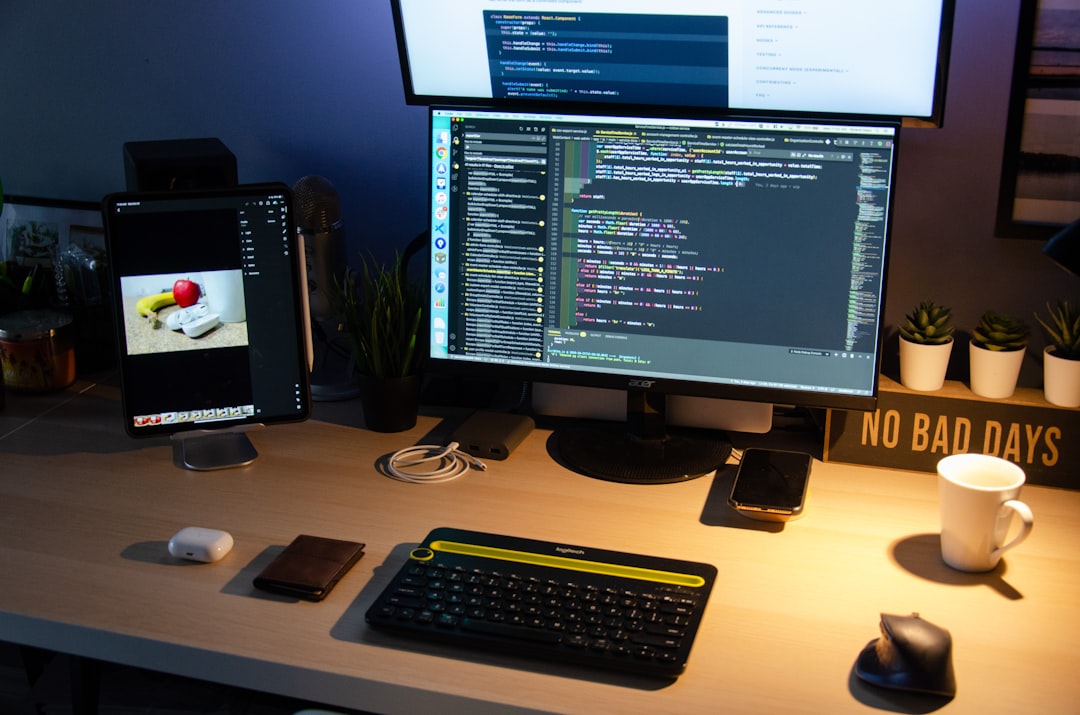
On iPad, the interface is particularly impressive. Touch controls feel natural, and Apple Pencil support can make localized edits more precise. On iPhone, the smaller screen naturally limits comfort for detailed work, but the app remains useful for quick corrections, social media edits, and mobile RAW processing.
Editing Tools and Image Quality
Photomator includes the core tools most photographers expect. You get controls for exposure, contrast, highlights, shadows, whites, blacks, saturation, vibrance, temperature, tint, clarity, texture, sharpness, and noise reduction. It also offers curves, color adjustments, selective color, gradients, repair tools, and presets.
The quality of the adjustments is generally very good. Exposure and color edits produce clean results, and RAW files retain strong flexibility. The app is especially good for everyday photography, travel images, portraits, product shots, landscapes, and content creation. It gives users enough control to create polished results without requiring an overly technical workflow.
Photomator’s color tools are also worth noting. The app allows subtle and controlled corrections, making it possible to refine tones without quickly damaging the image. This is important for users who want a natural look rather than heavy filters. Presets are available, but the app does not force a preset-first approach. You can use it for quick styling or careful manual editing.
AI Features: Useful or Gimmicky?
Many photo editors now advertise artificial intelligence features, but not all of them are equally useful. Photomator’s AI tools are generally practical. Features such as ML Enhance, automatic subject selection, background selection, sky selection, and repair tools can save time, especially for users who edit many images.
ML Enhance is designed to analyze a photo and apply intelligent improvements. It is not perfect, and serious users may still prefer manual control, but it often provides a strong starting point. For casual users, it may be enough to make a dull photo look more balanced. For advanced users, it can speed up the initial correction stage before finer edits are applied.
The repair and retouching tools are useful for removing small distractions such as dust spots, blemishes, wires, or unwanted objects. They are not always as powerful as the most advanced Photoshop-style generative tools, but they are effective for routine cleanup. The key strength is speed: Photomator makes these corrections feel simple and immediate.
RAW Editing Performance
For photographers, RAW support is a critical feature. Photomator handles RAW files well, offering flexibility for recovering highlights, opening shadows, adjusting white balance, and refining color. It supports a wide range of camera formats, although users with very new or unusual cameras should still confirm compatibility before committing to the app.
Performance is one of Photomator’s best selling points. On Apple Silicon Macs, the app feels fast and responsive. Edits are applied quickly, previews load smoothly, and batch work is generally efficient. This speed helps Photomator feel less like heavy professional software and more like a native extension of the Apple experience.
That said, users managing extremely large commercial catalogs may find limitations. Photomator is excellent for editing, but it is not as mature as Lightroom Classic when it comes to complex catalog management, metadata workflows, advanced filtering, client delivery systems, or studio-scale organization.
Apple Photos and iCloud Integration
One of the main reasons Apple users may prefer Photomator is its integration with Apple Photos. Instead of forcing users into a separate library system, Photomator can edit images already stored in Photos. This makes it attractive for people who use iCloud Photos across iPhone, iPad, and Mac.
The benefit is simple: your images are already where you expect them to be. You can take a picture on your iPhone, let it sync through iCloud, open it on your Mac or iPad, edit it in Photomator, and keep your workflow relatively seamless. For many people, this is more convenient than importing files into a separate Lightroom catalog.
However, this approach also has trade-offs. Apple Photos is not a full professional digital asset management system. If you need advanced keyword structures, complex folder hierarchies, detailed metadata handling, or separation between personal and professional libraries, Photomator’s Apple Photos-friendly workflow may feel limiting.
Who Is Photomator Best For?
Photomator is best suited to users who want more editing power than Apple Photos provides but do not want the complexity or subscription weight of larger professional platforms. It is especially appealing to:
- Apple users who want a native-feeling editor across Mac, iPad, and iPhone.
- Enthusiast photographers who shoot RAW and want high-quality editing tools.
- Content creators who need fast, polished edits for websites, newsletters, and social media.
- Travel and lifestyle photographers who value mobile editing and iCloud sync.
- Students and hobbyists who want professional-looking results without a difficult learning curve.
It may be less ideal for photographers who need tethered shooting, advanced color grading pipelines, deep print proofing, team collaboration, or very large commercial catalog systems. In those cases, Lightroom Classic, Capture One, or Photoshop may still be the better fit.
Strengths of Photomator
Photomator’s strengths are clear. It is fast, visually refined, and easy to learn. It makes everyday editing feel efficient while still offering enough depth for serious adjustments. The app also benefits from thoughtful use of machine learning, rather than simply adding AI features for marketing purposes.
Key advantages include:
- Excellent performance on modern Apple hardware.
- Strong RAW editing for most enthusiast and semi-professional needs.
- Clean interface that reduces friction during editing.
- Useful AI tools for enhancement, selection, and repair.
- Apple Photos integration that keeps the workflow familiar.
- Cross-device editing on Mac, iPad, and iPhone.
Weaknesses and Limitations
No review would be complete without addressing limitations. Photomator is very capable, but it is not a complete replacement for every professional photo application. Its library and organizational features are not as advanced as Lightroom Classic. Its retouching tools, while good, do not match the full depth of Photoshop for complex compositing or high-end commercial retouching.
Some professionals may also want more control over workflow customization. For example, studio photographers may need tethered capture, advanced export presets, soft proofing options, or deeper integration with client review systems. Photomator is not built primarily for that type of production environment.
Another consideration is platform exclusivity. Photomator is excellent for Apple users, but it is not useful if your workflow includes Windows or Android devices. This is not necessarily a flaw, because the app is intentionally designed for Apple platforms, but it matters for mixed-device teams.
Pricing and Value
Photomator’s value depends largely on what you expect from a photo editor. Compared with major subscription-based editing suites, it can feel like a leaner and more cost-effective option. It gives many users the tools they actually use every day, without requiring them to pay for a broad ecosystem of features they may never touch.
For casual photographers, the value is strong because the app is easy to use and produces better results than basic editors. For enthusiasts, the value is also compelling because RAW support, AI selections, and non-destructive editing provide room to grow. For full-time professionals, the calculation is more nuanced. Photomator may be excellent as a secondary editor or mobile workflow tool, but not necessarily as the only software in a demanding commercial workflow.
Photomator vs Lightroom
The most obvious comparison is Adobe Lightroom. Lightroom remains more mature in catalog management, professional workflows, presets, cloud services, and integration with Photoshop. It is also available beyond Apple devices, which makes it more flexible for cross-platform users.
Photomator, however, often feels faster and simpler. It has a more Apple-native personality and may be preferable for users who dislike Lightroom’s subscription model or find its interface too heavy. If your priority is organizing huge libraries and working professionally across multiple systems, Lightroom has the advantage. If your priority is fast, beautiful editing on Apple devices, Photomator is highly competitive.
Final Verdict: Is Photomator the Best Photo Editor for Apple Users?
Photomator is not the best photo editor for every user, but it may be one of the best choices for many Apple users. Its combination of speed, design, RAW editing, AI-assisted tools, and Apple Photos integration makes it unusually practical. It respects the way many people already manage images on iPhone, iPad, and Mac, while adding a much stronger editing layer than Apple Photos alone can provide.
For professionals with demanding studio workflows, Photomator is better viewed as a complementary tool rather than a full replacement for Lightroom, Capture One, or Photoshop. But for enthusiasts, creators, mobile photographers, and Apple-first users who want serious editing power without unnecessary complexity, it is an excellent option.
In short: Photomator is trustworthy, capable, and thoughtfully built. It does not try to be everything, and that is part of its appeal. If your photography workflow is centered on Apple devices, Photomator deserves serious consideration as your primary everyday photo editor.