
For many small businesses, inventory is both a valuable asset and a daily challenge. Stocking too much can tie up cash, while stocking too little can lead to missed sales and disappointed customers. A reliable inventory system helps retailers, wholesalers, restaurants, and service-based businesses track products, manage orders, reduce errors, and make better purchasing decisions.
TLDR: Small businesses benefit from inventory management software because it improves stock visibility, reduces manual work, and helps prevent overstocking or stockouts. For example, a boutique carrying 1,200 SKUs could use automated reorder alerts to cut stock shortages by 20% and reduce time spent on manual counts by several hours per week. The best system depends on business size, sales channels, budget, and whether features such as barcode scanning, ecommerce syncing, or accounting integration are needed.
Why Inventory Systems Matter for Small Businesses
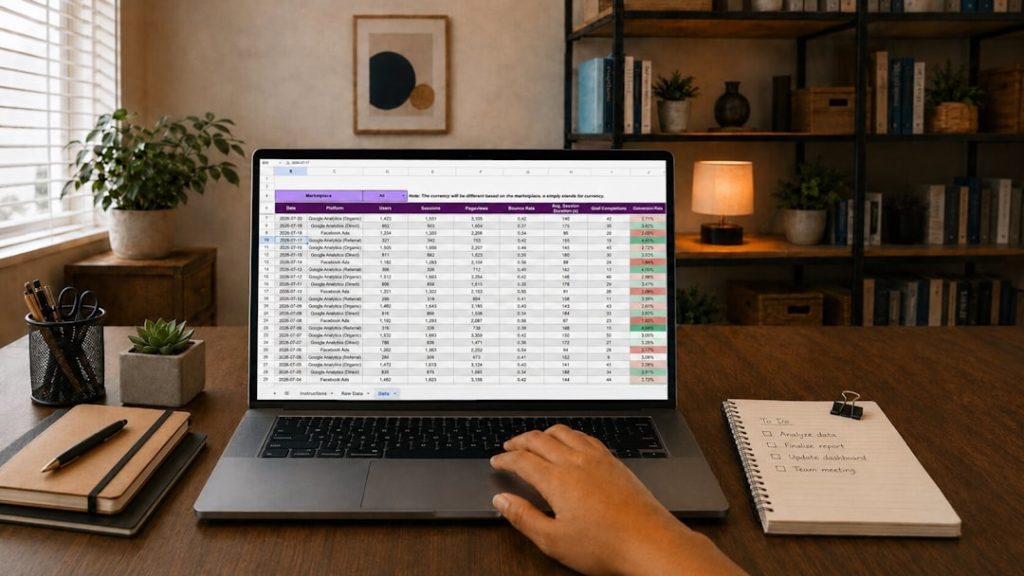
An inventory system gives a business a clear view of what is in stock, what has sold, what is on order, and what needs attention. Without one, teams often rely on spreadsheets, handwritten notes, or memory. These methods may work at the beginning, but they become risky as sales volume, product variety, and supplier relationships grow.
Inventory management software can help reduce human error, improve forecasting, and support faster order fulfillment. It also gives owners and managers access to data that can guide decisions, such as which products sell quickly, which items sit too long, and when seasonal demand begins to rise.

Key Features to Look For
Small businesses do not always need enterprise-level software, but they should look for tools that solve current problems and allow room for growth. The most useful features often include:
- Real-time stock tracking: Updates inventory levels as sales, returns, and purchases occur.
- Barcode scanning: Speeds up receiving, counting, and checkout processes.
- Low-stock alerts: Notifies staff when items reach a reorder point.
- Purchase order management: Helps create, send, and track supplier orders.
- Multi-channel syncing: Connects inventory across retail stores, ecommerce websites, and marketplaces.
- Reporting and analytics: Shows sales trends, inventory value, turnover rates, and best-selling items.
- Accounting integration: Connects inventory data with platforms used for bookkeeping and financial reporting.
Top Inventory Management Software for Small Businesses
1. Zoho Inventory
Zoho Inventory is a popular choice for small businesses that sell across multiple channels. It supports order management, warehouse tracking, shipping integrations, and automation features. Businesses already using Zoho Books or other Zoho products may find it especially convenient because the tools work well together.
Best for: Small retailers, online sellers, and growing businesses that need affordable multi-channel inventory management.
2. Square for Retail
Square for Retail combines point-of-sale features with inventory tools, making it useful for brick-and-mortar shops. It allows businesses to track stock, manage vendors, create purchase orders, and view sales reports. Since it connects directly with Square payments, it is often a practical option for stores that want sales and inventory in one system.
Best for: Retail shops, boutiques, gift stores, salons selling products, and small stores using Square POS.
3. Lightspeed Retail
Lightspeed Retail offers more advanced inventory features for businesses with larger catalogs or multiple locations. It includes purchase ordering, product variants, customer profiles, and detailed analytics. Its reporting tools can help managers spot slow-moving inventory and understand store performance more clearly.
Best for: Established retailers, multi-location stores, and businesses needing advanced POS and inventory features.
Image not found in postmeta4. Sortly
Sortly is known for its visual and user-friendly approach. Businesses can add product photos, QR codes, folders, and custom fields. It is simple enough for teams that do not want a complicated system but still need organized inventory tracking.
Best for: Small teams, service businesses, offices, event companies, and businesses managing tools, supplies, or equipment.
5. Cin7 Core
Cin7 Core, formerly known as DEAR Systems, is a more robust inventory platform designed for businesses with complex stock needs. It supports manufacturing, batch tracking, purchasing, sales channels, and warehouse operations. While it may be more advanced than some startups require, it is useful for businesses planning to scale.
Best for: Wholesalers, manufacturers, distributors, and ecommerce businesses with complex inventory workflows.
6. QuickBooks Commerce and QuickBooks Inventory Features
For businesses already using QuickBooks, inventory features within the QuickBooks ecosystem can simplify accounting and stock management. Depending on the plan and setup, businesses can track products, costs, sales, and inventory values alongside financial data.
Best for: Small businesses that prioritize accounting integration and want inventory data connected to financial reports.
7. Shopify Inventory Management
Shopify includes built-in inventory tracking for ecommerce stores and can be expanded with apps for more advanced needs. It allows merchants to manage products, variants, stock levels, and locations. Businesses selling primarily online may find Shopify’s inventory capabilities sufficient at first, then add specialized tools later.
Best for: Ecommerce stores, direct-to-consumer brands, and small businesses selling through an online storefront.
Cloud-Based vs. On-Premise Inventory Systems
Most small businesses choose cloud-based inventory software because it is easier to set up, accessible from different devices, and usually billed monthly. Cloud systems also tend to update automatically and integrate with modern ecommerce and accounting platforms.
On-premise systems may still appeal to businesses with specific security requirements or limited internet access, but they often require more upfront investment and technical maintenance. For most small companies, cloud-based tools provide a better balance of flexibility, cost, and convenience.
How to Choose the Right Inventory System
The best inventory system is not always the one with the most features. It is the one that matches the company’s operations. A small retail shop may need POS integration and barcode scanning, while a wholesaler may need bulk order management and warehouse controls. A restaurant may care more about ingredient tracking, waste reduction, and supplier ordering.
Before choosing software, a business should consider:
- Number of products: A company with 50 items may need a simpler system than one with 5,000 SKUs.
- Sales channels: Selling in-store, online, and through marketplaces requires strong syncing.
- Budget: Monthly fees, setup costs, hardware, and add-ons should be reviewed carefully.
- Ease of use: Staff should be able to learn the system without long training delays.
- Growth plans: The software should support future locations, warehouses, or sales channels.
- Integrations: Accounting, ecommerce, shipping, and POS connections can save significant time.
Common Benefits of Inventory Management Software
When implemented properly, inventory software can improve both daily operations and long-term planning. A small business may reduce stockouts, improve customer satisfaction, and avoid tying up cash in products that do not sell quickly. Better data can also support more accurate purchasing, especially during busy seasons.
For example, a small ecommerce store that tracks inventory manually may oversell products during holiday promotions. With automated stock updates across sales channels, the business can reduce canceled orders and maintain a more reliable customer experience. Similarly, a retail store using low-stock alerts can reorder popular items before shelves are empty.
Potential Challenges to Consider
Inventory systems are powerful, but they require accurate setup. Product names, SKUs, supplier details, prices, and starting stock counts must be entered correctly. If the initial data is wrong, the software will produce unreliable results.
Staff adoption is another important factor. Even the best platform can fail if employees continue using old habits or skip steps such as scanning items when receiving stock. Small businesses should create simple procedures and train team members so the system becomes part of daily operations.
Final Thoughts
Inventory systems help small businesses move from guesswork to informed decision-making. Whether a company chooses Zoho Inventory, Square for Retail, Lightspeed, Sortly, Cin7 Core, QuickBooks, or Shopify, the goal is the same: better control over products, purchasing, and sales. The right software should save time, reduce errors, and support profitable growth without overwhelming the team.
FAQ
What is the best inventory management software for a small business?
The best option depends on the business model. Zoho Inventory is strong for multi-channel sellers, Square for Retail is useful for physical stores, Shopify works well for ecommerce, and Sortly is ideal for simple visual tracking.
Can a small business use spreadsheets for inventory?
Spreadsheets can work for very small operations, but they become harder to manage as product counts, orders, and sales channels increase. Inventory software is usually more accurate and scalable.
How much does inventory software cost?
Costs vary widely. Some platforms offer free or low-cost plans, while advanced systems may charge higher monthly fees. Businesses should also consider hardware, integrations, training, and add-ons.
Does inventory software help prevent stockouts?
Yes. Many systems include low-stock alerts, reorder points, and sales tracking, which help businesses reorder products before they run out.
Is barcode scanning necessary?
Barcode scanning is not required for every business, but it can greatly improve speed and accuracy for retailers, warehouses, and companies with many products.